Python Switch Statement 101: Match-case and alternatives

 Ekene Eze
As Python applications grow, decision logic gets harder to manage. What starts as a simple if-elif-else block can evolve into a long, fragile chain where intent is unclear, logic depends on execution order, and small changes introduce subtle bugs. The code still runs — but it becomes harder to test, reason about, and maintain.
Python does not provide a traditional switch statement like some other languages. Instead, it offers multiple ways to implement switch-like logic, from basic conditionals to dictionary-based patterns and the modern match-case syntax.
In this guide, you will learn how each approach works, when to use it, and how to choose the right switch strategy to keep your Python code clear and maintainable as it grows.
What is a switch statement?
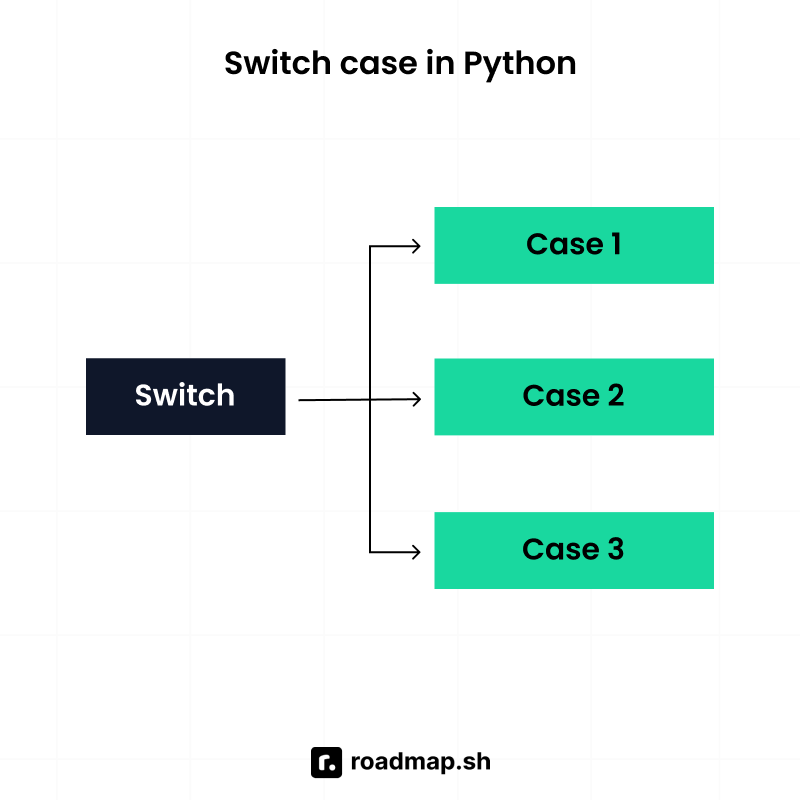
A switch statement is a control flow structure for selecting one action from multiple options based on a single value. Python historically did not include a traditional switch construct because existing tools like if-elif-else chains and dictionary mappings already handled most use cases while keeping the language simple and readable.
Modern Python later introduced structural pattern matching (match-case) to provide a more expressive way to implement switch-like logic.
Implementing switch logic in Python
Python handles switch-like logic using if-elif-else, dictionary mappings, or match-case. The best choice depends on how complex your conditions are.
Using if-elif-else chains
The simplest way to implement switch logic is by using if-elif-else syntax, while more structured approaches rely on dictionary mappings or match-case. Together, these provide flexible ways to mimic switch behavior in Python.
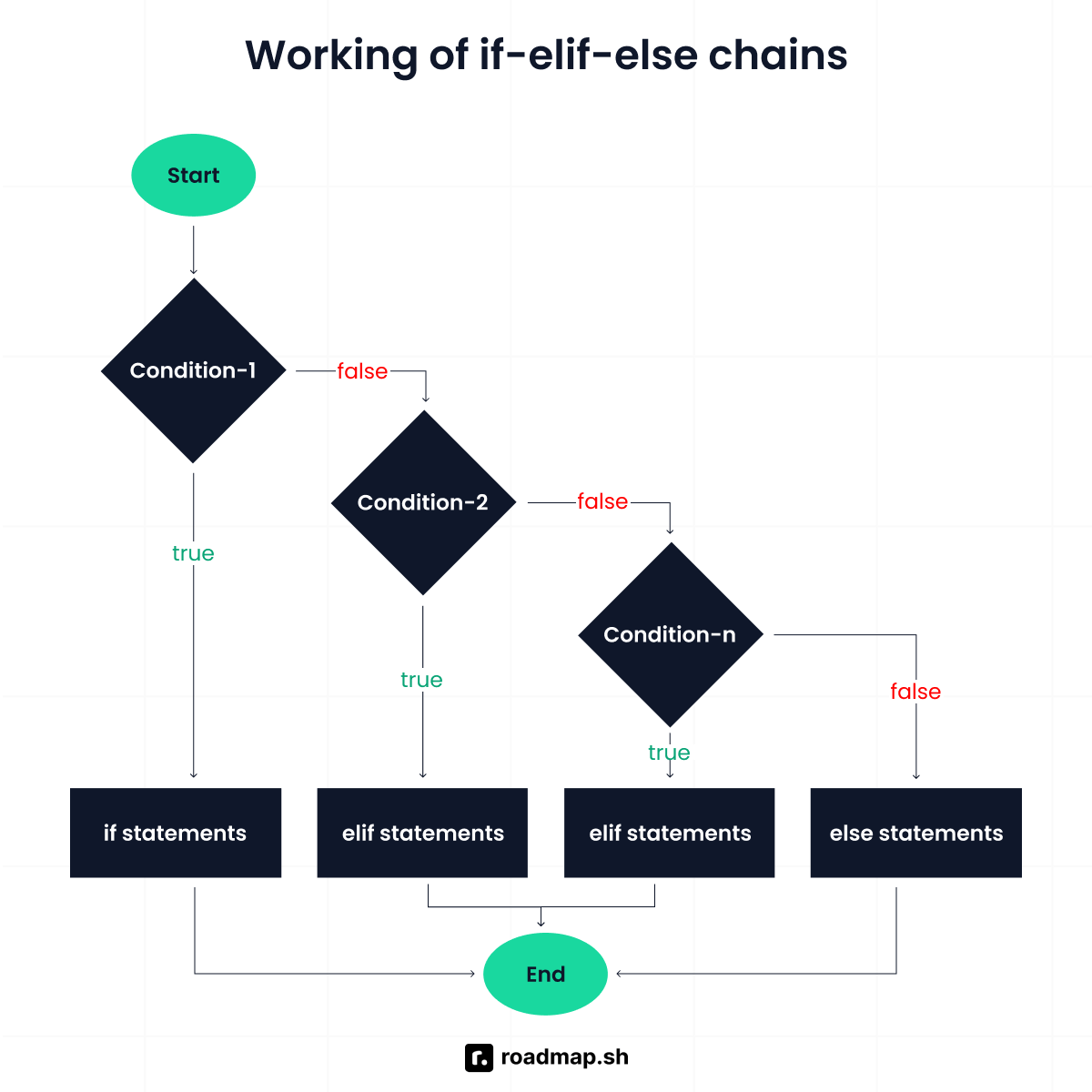
This is the most basic and widely supported method. It works well for a small number of short, clear conditions.
As conditions grow, readability suffers, and ordering can introduce subtle bugs:
Here, the first condition blocks the more specific one.
Python match case statement
Introduced in Python 3.10, match-case provides a cleaner, more structured alternative. It checks ordered patterns and uses _ as a default.
Because each case is defined as a distinct pattern, the intent is clearer and the risk of accidental overlap common in complex boolean conditions is reduced. Patterns are still evaluated top to bottom, but their explicit structure makes multi-branch logic easier to reason about and maintain.
Advanced match-case patterns in Python
A common match-case pitfall is that bare names capture values instead of comparing them. If you write case x, Python treats x as a new variable, and the pattern can match more often than you expect. Use literals like case 200, or qualified constants such as enums, when you want a true comparison.
Matching multiple values
You can match several possible values in a single case using the | operator. Before match-case, the same check needed a chain of comparisons joined with the or operator, like status == "success" or status == "ok". With |, you list the values once:
Benefit: Avoids repetitive conditions and keeps related cases grouped together
Use case: When multiple values should trigger the same behavior
Using guards
Guards add an extra condition with if after the pattern. Python first checks whether the pattern matches. Only then does it evaluate the guard condition. If the guard is false, the match is treated as failed and later cases are considered.
Benefit: Allows fine-grained control beyond simple equality
Use case: When you need to match a value but also check an additional property (e.g., ranges, types)
Destructuring and pattern matching
Mapping patterns work similarly for dictionaries, where a match succeeds if the required keys are present, even when additional keys exist. You can match the structure of objects or sequences directly:
When match-case improves clarity vs. when simpler patterns are better
Match-case improves readability when logic depends on structure, multiple patterns, or different data types. It works well when nested if-elif-else chains would be required or when you need to bind variables during matching.
Simpler patterns suit fixed mappings, such as routing commands to functions or converting status codes to text. In those cases, a dictionary-based switch is shorter and easier to maintain.
For only a few checks, plain if-elif-else remains the clearest option because it keeps the logic simple and explicit.
Practical applications of switch logic
Switch logic appears whenever a program must choose one action from many based on input or state. In Python, developers typically use if-elif-else, dictionary dispatch, or match-case depending on the complexity of the logic.
Command dispatching
A common use case is mapping commands to functions. Dictionary-based patterns work well because they directly link a command to its handler.
This avoids long condition chains and scales well for fixed commands.
Menu systems
Menus map user choices to actions. While small menus can use if-elif-else, match-case keeps the larger ones cleaner.
Using a match-case makes the menu flow easier to follow and keeps all menu options grouped in one place.
State machines
State machines manage transitions between states. match-case clearly handles state–event combinations.
This approach is clearer than nested if-elif blocks and reduces the risk of unhandled or invalid transitions.
Parsing structured input
Structural pattern matching makes it easy to destructure tuples or similar data.
This kind of parsing would require multiple conditional statements or manual checks with dictionaries, but match case keeps the logic compact and easier to reason about when working with structured data.
Common errors and best practices
When working with switch-like patterns in Python, there are a few common mistakes developers tend to run into. The points below highlight what to watch out for and how to avoid them.
1. Overusing if-elif chains
Long if-elif-else chains make conditional logic hard to read and maintain.
Why does this become a problem?
As more conditions are added, the logic becomes harder to scan and easier to break. Testing every branch also becomes more difficult.
Best practice Use a dictionary-based switch pattern for fixed command mappings.
2. Misunderstanding pattern-matching behavior
Match case uses structural pattern matching, not simple value comparison.
Why is this wrong
The int() pattern matches all integers, including zero. Since match runs the first matching case, the case 0 block never executes.
Best practice Place specific patterns before broader patterns.
3. Missing a default case
Switch logic should always handle unexpected values.
Why is this wrong Without a default case, unexpected values are silently ignored, which can cause hidden bugs.
Best practice Always include a catch-all default case to handle unexpected inputs and ensure the logic behaves predictably when no case matches.
Wrapping up
The match-case statement marks a meaningful evolution in Python’s control flow. It gives Python developers a native way to handle complex branching logic that goes beyond what traditional if- elif-else chains or dictionary-based switch patterns can comfortably support. With structural pattern matching, Python can now express intent more clearly when working with multiple conditions, different data types, and complex data structures.
The key is choosing the right tool for the problem. Prioritize clarity, maintainability, and readability over clever syntax. When used thoughtfully, switch logic in Python becomes easier to reason about and easier to scale.
Test your knowledge: Take the Switch Statement quiz below or have a proper chat with our AI Tutor to discover all its capabilities.
For a structured view of Python concepts beyond this topic, the Python roadmap is worth exploring. It helps you spot what to learn next and build a stronger foundation step by step.
