Python Multiline Strings: The Complete Guide
 Kimberly Fessel
If you enter text data into Python, chances are you’ll store it in the str (string) data type. Strings are relatively simple to create; just surround your text with single ('hi') or double quotes ("hi").
But what if you have a lot to say? What if your text gets really long and needs to span multiple lines of code? Or you need to print a list of items on multiple lines in your console?
In this post, we’ll walk you through multiline strings in Python. You’ll see five different ways to create them, and after discussing some real-world use cases and potential gotchas, we’ll finish with a full comparison table to help you choose the right method for the job. Let’s get started.
What is a Multiline String in Python?
A multiline string is text that either spans more than one line in your Python code or produces text across multiple lines in output. It’s typically used for long amounts of text and could be structured, such as an email, SQL query, template, or formatted output.
One common way to build a multiline string is with triple quotes, like the following example:
Python preserves whitespace like newline characters and tabs in text surrounded by triple quotes.
5 Ways to Create a Python Multiline String
You have a few different options when creating a multiline string in Python. Let’s review several popular methods and their syntax now.
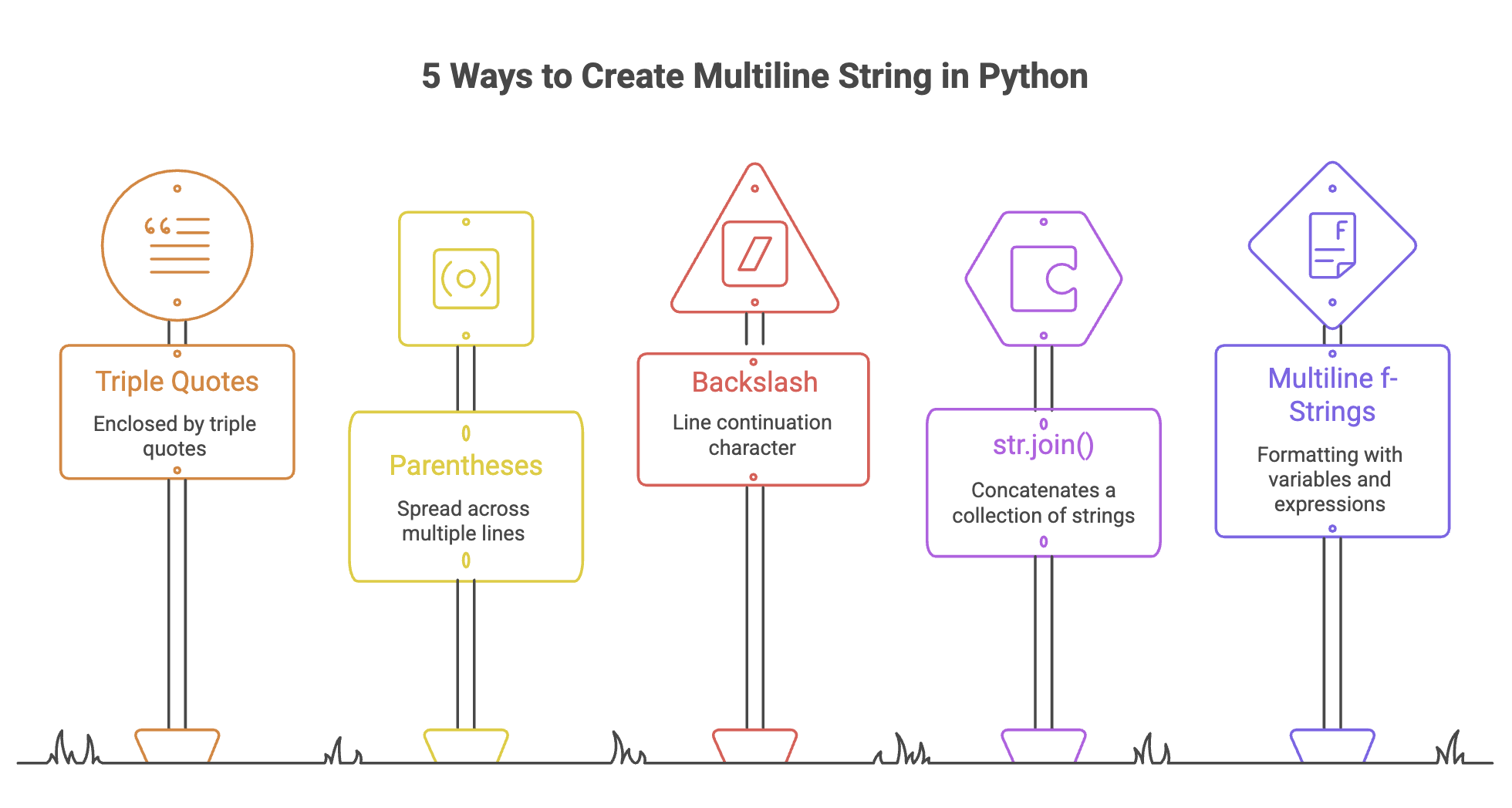
Triple Quotes (""" or ''')
You’ll often see multiline strings enclosed by triple quotes so that they’re considered a single block of text. To make one, start by typing three quote marks, either double (""") or single ('''). Then add your text and end with another three matching quote marks.
Python keeps any spaces, tabs, or line breaks within the triple quotes, and you can use single or double quotes within the triple-quoted string without escaping them:
Despite spanning multiple lines, triple-quoted strings are still regular Python str objects.
Triple quotes frequently show up for docstrings at the beginning of a .py file, Python function, or class.
Parentheses and Adjacent Strings
You can also spread a string across multiple lines of code for readability. Just put the strings next to each other and wrap the entire text block with parentheses to allow multiple lines. Python automatically joins the pieces back together for a single string:
Unlike triple quotes, this method does not preserve the line breaks unless you include a newline escape sequence, \n, so the strings in this example appear on the same line. You must also place quotes around each individual string segment. You should include a space within the quote marks at the end of lines so words do not run together.
This Python technique helps you respect PEP 8 line-length recommendations. It’s readable, less prone to issues, and often preferred over backslashes for line continuation.
Backslash Line Continuation
The backslash (\) is the line continuation character. This technique was popular before parentheses around adjacent strings became the preferred style. The backslash method does not preserve newline characters, and you’ll need quotes around each portion of your string.
Don’t forget to include spaces where needed inside string segments, since Python joins the text exactly as written. If you accidentally place even a single space after the backslash, Python raises a SyntaxError. PEP 8 recommends using parentheses whenever possible due to this fragility.
str.join() with Line Breaks
The Python str.join() method performs string concatenation by combining a collection of strings, such as a list, tuple, or set, into one, unified string. You’ll need to provide a separator string, so Python knows what to put in between the text elements.
If you choose the newline character as your separator, elements appear on separate lines when printed:
Multiline f-Strings
Python f-strings allow you to perform string formatting by including variables and expressions directly inside your strings. Create multiline f-strings using triple quotes, just like regular multiline strings. Prefix the string with f, wrap expressions in {}, and use triple quotes for multiline text. Here’s an example to illustrate that syntax:
Python replaces the variables with their values in the string, and multiline f-strings preserve whitespace as written, just like triple-quoted strings.
The Indentation Trap (And How to Fix It)
Do you like writing clean-looking code? Perhaps you prefer indented blocks for readability? Here’s what can happen when you try that with a triple quoted string in Python:
Remember that triple-quoted strings preserve whitespace exactly as written —including indentation.
This indentation trap applies to both triple-quoted strings and multiline f-strings. Fortunately, you have a few ways to fix it.
Keep Your String Flush-left
Quite simply, don’t add the indentation to begin with and you won’t see it in your output.
Use textwrap.dedent()
You can apply a Python function called dedent() around your triple-quoted string to remove the indentation. You’ll need to import the textwrap module to access it, but you won’t need to install it since this module comes with standard Python:
textwrap.dedent() removes common leading indentation shared across all lines. If the indentation is not consistent across the block, it may not fully remove extra spaces. The backslash (\) in the first line of the statement prevents an extra blank line at the start of the string. It lets you appropriately indent your text on the second line.
Switch to Another Multiline String Method
Other methods, like parentheses and backslash line continuation, do not preserve whitespace, so you may choose these if you prefer indentation.
Real-World Use Cases in Python Code
You’ve seen plenty of ways to create multiline string literals or strings across multiple lines of output. Now let’s cover a couple of practical applications of multiline strings in Python.
SQL Queries
Many organizations choose to store their information in relational databases and query it with the SQL programming language. SQL queries are often long and written across multiple lines of text to make them more readable. There are a few methods for embedding SQL in Python (pandas, SQLAlchemy, etc.), so you’ll commonly see multiline strings for constructing queries.
You typically won’t need to worry about indentation for SQL queries because most databases ignore whitespace.
HTML/Email Templates with Multiple Lines
HTML and email templates naturally span multiple lines, so multiline strings make them much easier to read in Python. Multiline f-strings are especially useful because they preserve formatting and inject dynamic content directly into the template.
For example, here’s a personalized HTML message, which your Flask or Django app could render after a customer purchase:
The template keeps the new lines and indentation exactly as written, since multiline f-strings do not modify whitespace, and the placeholders are replaced with customer-specific values. The code is also easier to read and debug compared to a long single-line HTML string.
Best Practices and Gotchas for Multi Line Strings
Before you take multi line strings out for spin, there are just a few more best practices and gotchas to keep in mind.
Double Quotes versus Single Quotes
Double (""") or single (''') quotes work the same for triple-quoting multiline strings in Python. The choice between them is yours and based on your coding style. You’ll commonly see triple double quotes in practice, but triple single quotes also work for items like docstrings. PEP 8 does not prefer one over the other, but tries to be consistent within a single project to improve readability.
You should also verify that you have triple instead of double quotes. Two quotes ("" or '') create a single empty string, and yield a SyntaxError if placed around text.
PEP 8 for Long Strings in Python Programs
PEP 8 recommends a maximum line length of 79 characters, so you’ll want to use one of the strategies discussed in this article for storing longer strings in Python. For instance, parentheses around adjacent strings come in handy if you need to save a paragraph of text:
Quick Decision Guide – What’s the Pythonic Way?
Method | Preserves Whitespace? | Best Purpose | Use Case | Warnings |
|---|---|---|---|---|
Triple Quotes | Yes | Preserve formatted multiline text | Emails, SQL, docstrings | Indentation trap |
Parentheses + Adjacent Strings | No | Break long strings across code lines | Long text, the Pythonic way | Must manage spaces manually |
Backslash Continuation | No | Break long strings across code lines | Legacy/simple continuation | Fragile; trailing spaces cause errors |
str.join() | Depends on separator | Build multiline text from collection of strings | Lists, reports, text file processing | All elements must be strings |
Multiline f-Strings | Yes | Preserve formatted multiline text with variables | Personalized emails, HTML, templates | Indentation trap |
Wrapping Up
When lengthy strings spill over onto multiple lines of Python, you can wrap them in triple quotes, use parentheses with adjacent strings, or add backslashes. Use str.join() with \n as the separator for string concatenation with newline characters, or try a multiline f-string if you need dynamic variables in your multi-line string. Consider the purpose—and warnings!—of each method when selecting a technique.
Ready to learn more about multiline strings? Explore more posts in our Python roadmap and give the AI Tutor a try with this starter prompt:
