Binary search in Python 101: Implementation and use cases

 William Imoh
The difference between a slow search and a fast one often comes down to the algorithm you choose. A good search algorithm, e.g., binary search, helps you to find data faster without having to scan the entire list. Binary search is a fundamental search algorithm in computer science that minimizes the number of comparisons required to find a target. Understanding this search algorithm helps Python developers work better with sorted data structures.
Python allows you to implement binary search in various ways. It lets you write your own binary search using loops or recursion. If you prefer not to write it yourself, Python includes built-in functions, like the bisect module, that handle it for you. Whether you write it yourself or use a built-in function, binary search needs a sorted list. When you sort your data, searches are faster, and knowing which method to use matters.
Knowing how to search sorted lists is a skill that rewards you throughout your career as a developer. It improves how you think about speed and problem-solving when writing code. Learning binary search also prepares you for technical job interviews. Interviewers use binary search questions to assess your coding and problem-solving skills.
In this guide, you'll learn everything you need to know about binary search in Python. You’ll then see how to implement it in Python and when to use it. For a detailed view of Python basics and algorithms to learn, check out the Python roadmap.
What is binary search in Python?
Binary search in Python is an efficient searching algorithm that finds the index of a target value in a sorted array or list. It uses a divide-and-conquer approach to search for a specific element in a list. By dividing the search interval in half at each step, it runs much faster than checking every element one by one.
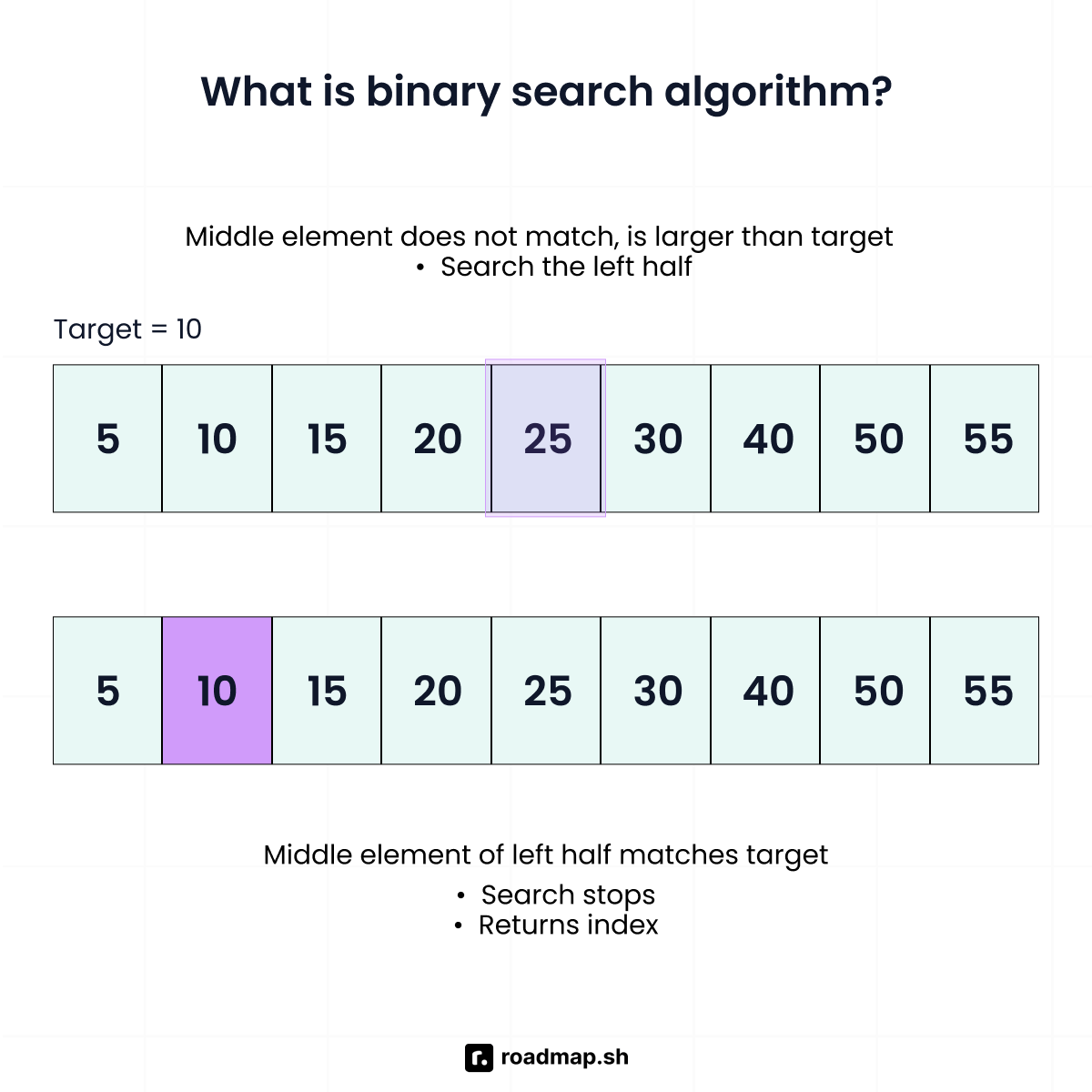
Binary search works by first checking the middle element in your sorted list. If the middle element matches your target value, the search is complete. If your target value is smaller than the middle element, the search will proceed in the left half. But if the target value is greater, the search algorithm will ignore the left half and search the right half. This process will continue until you find your target value or run out of elements to check.
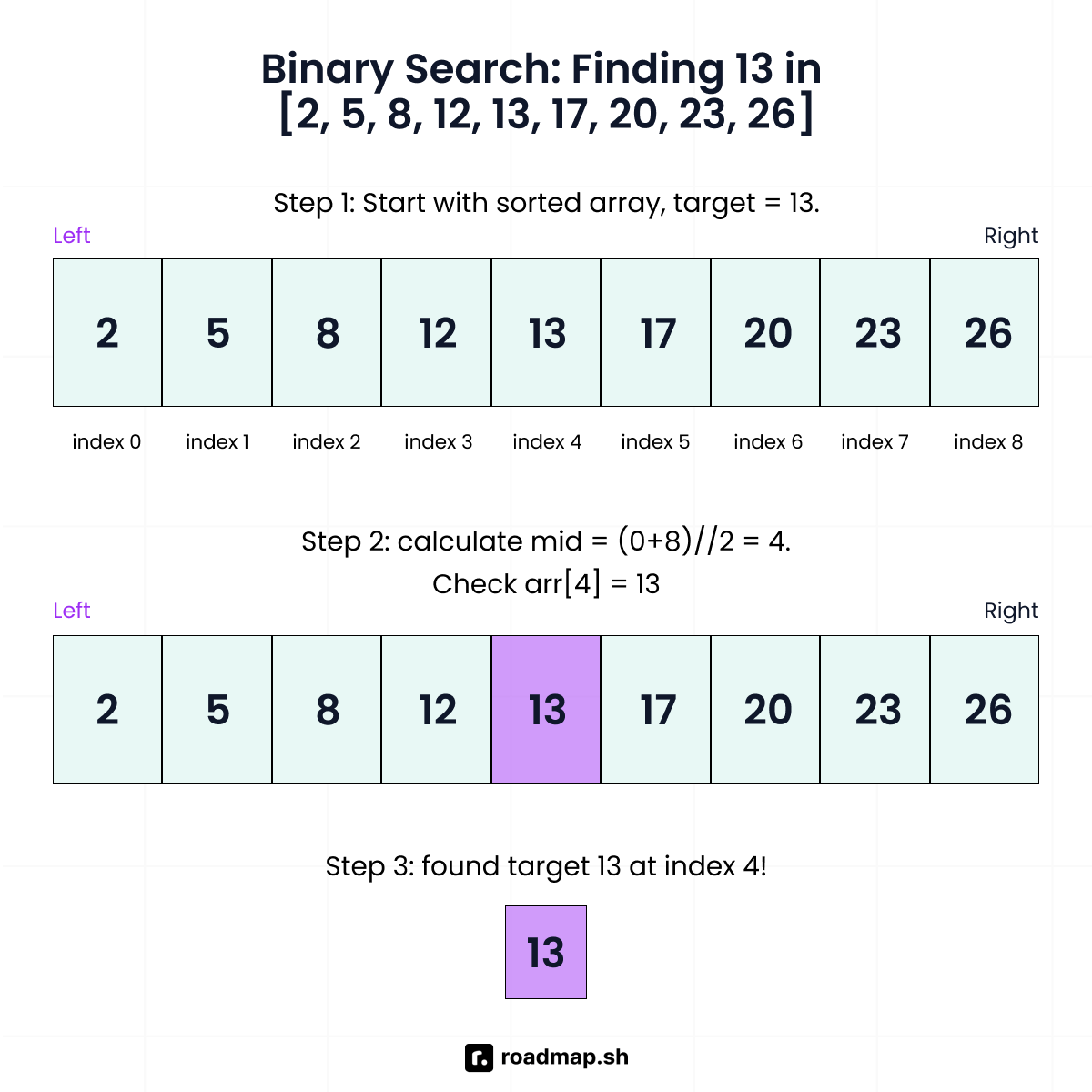
To better understand how binary search works, here is an example of finding the target number 13:
The sorted array in the above example, [2, 5, 8, 12, 13, 17, 20, 23, 26], has 9 elements, with indices ranging from 0 to 8. The binary search algorithm will follow these steps:
Step 1: Check the element at the middle index (4), which has a value of (13). Since it matches the target value (13) you’re looking for, the search stops. The search algorithm will then return index (4) as the target value index.
Using the same sorted array, let’s look for 17 in a search where the target value is not in the middle index:
Step 1: The middle index is 4 with a middle value of 13. Since 17 > 13, the binary search algorithm will ignore the left half (indices 0-4: 2, 5, 8, 12, 13). But it’ll continue searching the right half.
Step 2: In the remaining sorted array [17, 20, 23, 26], the new middle index is 6 with a middle value of 20. Since 17 < 20, the binary search algorithm will ignore the right side and keep the left.
Step 3: At this point, only [17] remains in your sorted array. The binary search algorithm will then return index 5 as the target value index.
Binary search requires direct access to elements by their index. It does not work well with data structures like linked lists because they do not support direct access to any position. You must process each node one by one, which cancels out the speed advantage of binary search.
Remember to sort your data in either ascending or descending order before applying binary search. If you skip this step and run binary search on unsorted data, the algorithm will fail. It might yield incorrect results or skip your target value entirely.
In the example above, binary search found the target value in just three comparisons out of nine elements because you sorted your data. Without sorting, you would need to use other search algorithms, such as linear search, which may require up to nine checks to find the target value.
Binary search vs. linear search algorithm
Binary search is effective, but not always the best choice. In some situations, a simpler method such as a linear search algorithm is more suitable. Knowing both algorithms will help you choose the right one for your projects.
The linear search algorithm uses a straightforward approach to finding elements in a list or array. It goes through the list step by step until you find your desired value or reach the last element. This one-by-one approach works, but it can be slow when you have lots of data to search through.
The linear search algorithm can only eliminate one element at a time. If the first element matches your target value, the search is complete. But if it's at the end or not in the list at all, the linear search algorithm must check every element. The algorithm reduces the search space by exactly one each time it checks an element against the target value.
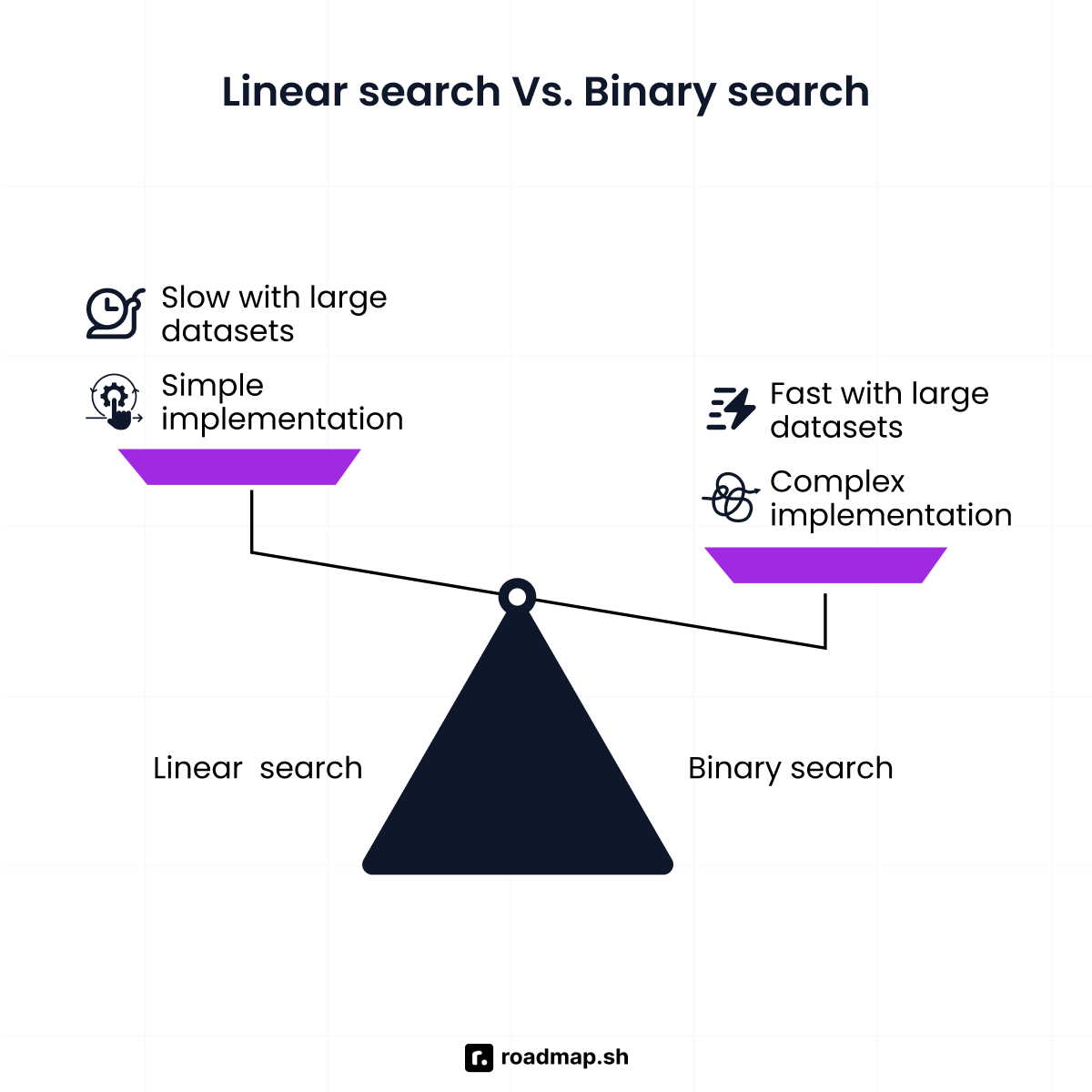
You can use linear search on unsorted data, unlike binary search, which requires the data to be sorted. It involves scanning a list in any order and comparing each value to the target value from left to right. The linear search algorithm is a good choice for small lists and for data structures like linked lists that don't support direct access to the middle element. It also works well when you only need to search once or when you need to find all matching values.
In contrast, binary search eliminates half of the remaining elements with every comparison. Instead of checking elements one by one, it halves the search space over and over again. Use binary search when working with sorted data structures. It's well-suited for large lists, repeated searches, and cases where speed is important.
The way linear and binary search reduce the search space affects how fast they run. Big O notation helps explain how a program's runtime changes as input size increases. With Big O notation, you predict whether your search will take 30 steps or 30,000 steps based on how much data you have.
Besides binary and linear search, you can also use hash-based search to find data. Hash functions map data directly to specific locations in a hash table, making lookups faster if you do not need the data to remain sorted. Hash table lookups have an average O(1) time complexity, making them even faster than binary search's O(log n) for direct key access. Binary search works better with sorted data and supports ordered operations. The right method depends on how your data is set up and what you need from your search.
Implementation of binary search in Python
Now that you know binary search and how it works, let's look at a few ways to implement binary search in Python.
Python, like any programming language, gives you flexible ways to implement binary search algorithms. It lets you pick the approach that best fits your needs, whether you want something simple, fast, or built-in. The following are the three most common methods to implement binary search:
Recursive implementation
Iterative binary search (using a while loop)
Using Python's built-in bisect module
Recursive implementation of binary search
The recursive implementation of binary search follows the divide-and-conquer approach to solving problems. It divides the data, checks one half, and then applies the same logic to the remaining relevant half. The recursive method applies binary search by solving problems through repeated function calls.
At each step, a recursive call focuses on a smaller section of the sorted array or list. It reduces the search space until it finds the target value or no elements remain. This action results in a logarithmic time complexity, making searching much faster than a simple linear search as the list size grows.
However, this approach has a limitation: Every recursive call adds a new layer to the call stack. It keeps the function calls active until the search finishes. The recursive method uses more memory than the iterative approach. However, binary search needs a few steps, so the extra memory use is rarely a problem in practice. Many developers choose the iterative version for performance-critical systems to avoid additional memory usage.
The recursive binary search algorithm works as follows:
Step 1: If right is not provided (i.e., it is None), set it to the last index to define the whole search space.
Step 2: If left is greater than right, the search space is empty. The function returns -1 to show the target element is not present.
Step 3: Find the middle index using the floor division operator (//): mid = (left + right) // 2. For example, (0 + 9) // 2 equals 4.
Step 4: Compare the middle element to the target. If they do not match, the algorithm continues searching. In your example, the value at index 4 is 10, but you're looking for 8, so it doesn't match. The binary search algorithm will keep searching since it cannot return an index yet.
Step 5: If the middle value is less than the target number, search the right half starting at mid + 1. If it is greater, search the left half ending at mid - 1.
Step 6: The function returns the index of the target element when successful, or -1 when the search fails, and passes the result to any pending recursive calls.
Note: The // operator divides two numbers without keeping the remainder. For example, (0 + 9) // 2 will equal 4 instead of 4.5.
Iterative binary search (using a while loop)
You should opt for the iterative method if you're looking for speed and reliability. Unlike recursion, it handles large datasets without running out of memory space. The iterative version of binary search uses a while loop rather than recursive function calls to narrow the search range. It repeats this process until it finds the target element or confirms it doesn't exist.
The iterative binary search algorithm relies on two pointers to track the limits of your search range. This makes it straightforward to follow what's happening and catch any errors. Since the algorithm runs in one loop, many beginners find iterative binary search easier to learn. It lets you track each step one at a time without having to consider how function call stacks work.
Let's implement binary search iteratively with a while loop. You'll search for 13 in this sorted list:
This is how the iterative binary search algorithm works:
Step 1: Set the left pointer to index 0 and the right pointer to index 9 to define the search range.
Step 2: Run the loop while the left is less than or equal to the right pointer to make sure the search range is not empty.
Step 3: Find the middle index using mid = (left + right) // 2.
Step 4: Compare the middle element to the target element to check for a match.
Step 5: If the middle element is less than the target element, set the left pointer to mid + 1 to search the right half. If it is greater, set the right pointer to mid - 1 to search the left half.
Step 6: If the target element is not found, return -1 to show it is not in the sorted list.
Using Python's built-in bisect module
Python provides an optimized built-in bisect module for implementing binary search. It has built-in functions for binary search, so you don't have to write algorithms by yourself. The bisect module helps you locate insertion points in a sorted list. You can use it to maintain sorted data structures without re-sorting the entire list every time you add an element.
The bisect module uses C for its internal logic, making it much faster than regular Python implementations. It does not show if an element exists on its own. But you can use it to search for elements and insert them into a sorted list without slowing things down.
Let's take a look at how to use the bisect module with some practical examples.
The following explains how the bisect module works:
Step 1: bisect_left(numbers, 41) tells you where to put 41 so the list stays sorted.
Step 2: Check that pos < len(numbers) to confirm the position isn't beyond the list.
Step 3: Look at numbers[pos] and see if they match your target number.
Step 4: If the position is out of range or the value is different, your target number isn't in the list.
Step 5: bisect.insort(numbers, 41) inserts the element into the correct place in a single step.
You have learned three different ways to use binary search in Python. All three work, but they vary in speed and memory usage. Understanding space and time complexity will help you choose the best option.
Understanding space and time complexity
Time complexity measures how long an algorithm takes to run as the data grows. It gives you a general idea of how well the algorithm will perform in different situations. For example, the binary search algorithm has a logarithmic time complexity of O(log n). This means the algorithm keeps halving the search range, so it finds results sooner. Where you need constant-time rather than O(log n) lookups, a hashmap lookup is the better choice.
When you double your data size, it only adds one more step to the total search time. For instance, if you're searching through 1,000 items, it'll only take you around 10 steps using O(log n). You can see these 10 steps by dividing 1,000 by 2 over and over until you get to 1: 1,000, 500, 250, 125, 62, 31, 15, 7, 3, and finally 1.
Since each step halves the data, doubling your list to 2,000 items will add only one extra step, for a total of 11 steps. Binary search works well for large datasets because of its predictable, slow-scaling nature.
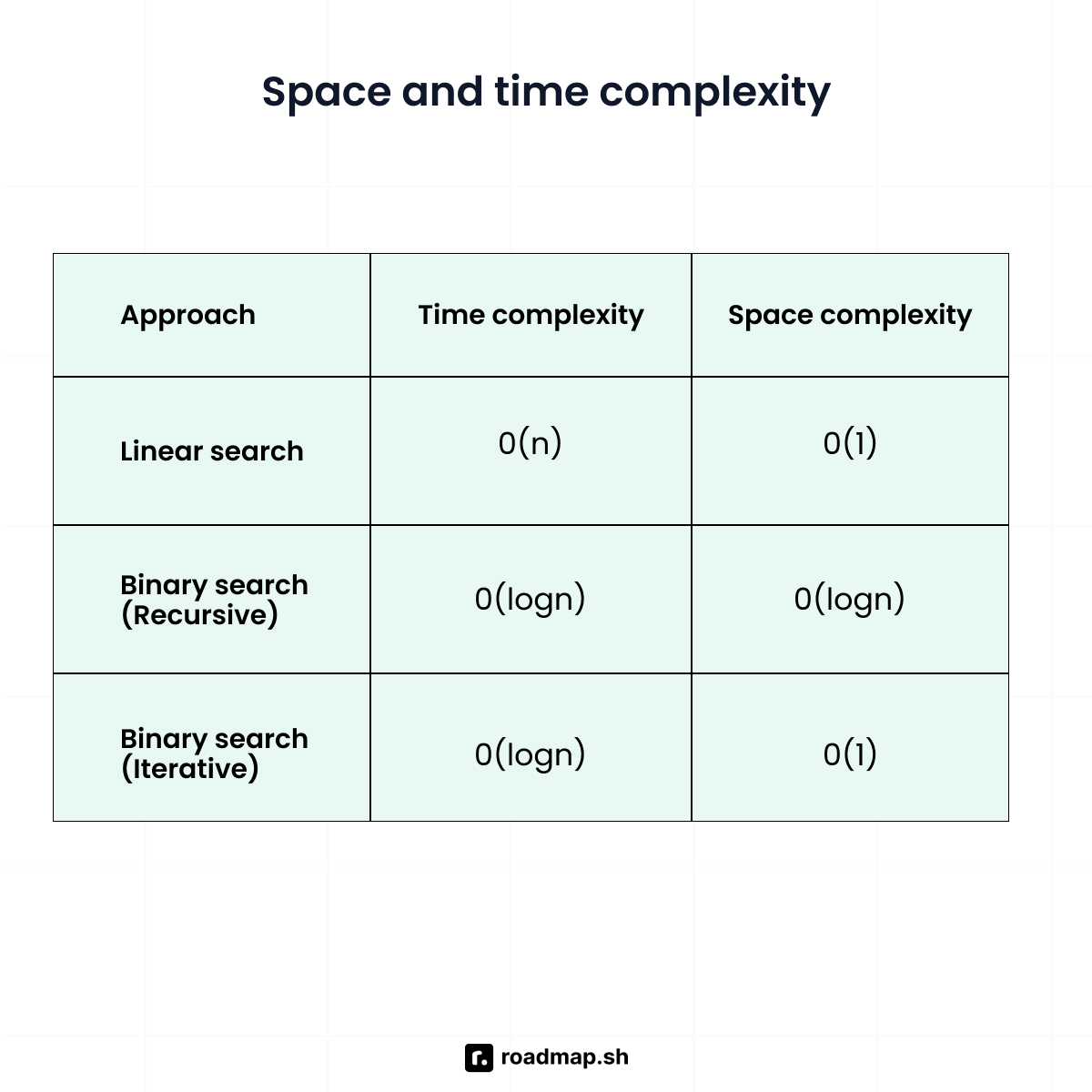
On the other hand, linear search has a linear time complexity of O(n). This means the algorithm checks items one by one, so the search time grows at the same rate as the list size. If you search through 1,000 items using linear search, you cannot use the halving process to reduce the number of steps to 10. The algorithm will check each item from the beginning and may need up to 1,000 steps. Because of this, linear search works best for small datasets and simple tasks.
All three Python binary search implementations share an O(log n) time complexity. The bisect module usually runs faster in real use, but its time complexity remains the same. Choose an implementation based on other factors, such as space complexity and code readability.
Space complexity is the amount of memory an algorithm requires to run. Iterative binary search does not need additional memory as the list grows. It has a constant space complexity of O(1). This means the amount of space the algorithm uses stays the same, regardless of how large the dataset becomes.
It only needs three variables (left, right, mid) to search the data regardless of input size. Whether you search 30 elements or 30,000 elements, the memory usage stays the same. This makes it a better option for large datasets, as it avoids the issues caused by excessive nesting.
In contrast, the recursive version of binary search uses more memory as the search goes deeper. It has O(log n) space complexity due to the call stack. When using recursion, each step creates a new nested call, and the computer keeps track of these to know where to return to after the current call completes.
Each time the function calls itself, it uses more memory. The deeper the recursion goes, the more memory it uses. This increasing memory usage can cause the program to crash when the dataset is large.
Practical applications of binary search
Binary search is an effective method for working with sorted data. Below are some common situations where you can use it:
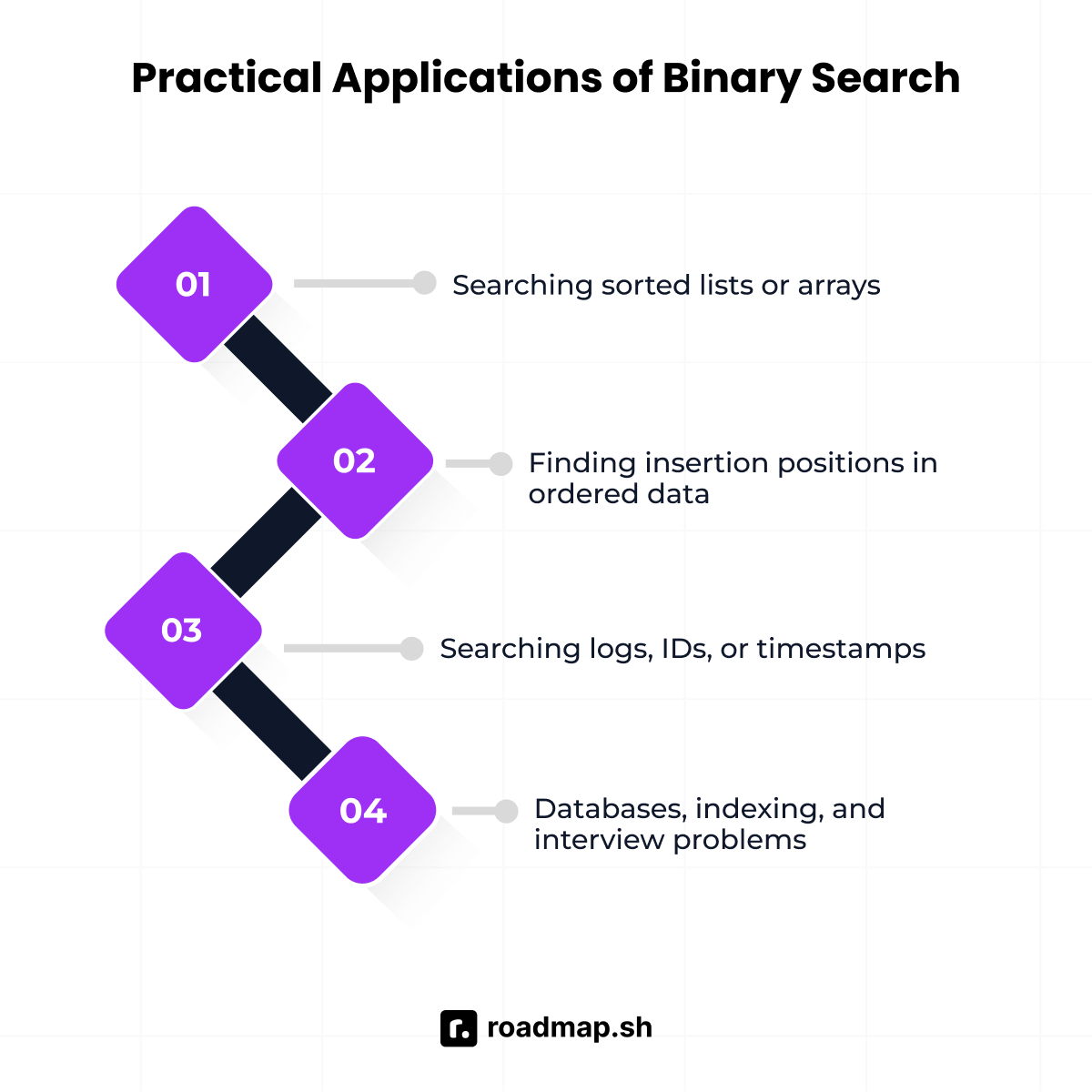
Searching sorted lists or arrays
The primary use of binary search is to find elements in a sorted collection, such as an array or a list. For example, on a streaming application, movies are usually arranged in alphabetical order. This helps you find the movie you want without scrolling through the entire list. Binary search does exactly this with your data. Instead of going through thousands of names one at a time, you can find a specific value you’re looking for in just a few checks.
Finding insertion positions in ordered data
If you add a new item to a list that’s already sorted, binary search will help you find the correct position for it. This keeps systems organized so you do not have to sort everything again. For example, when you add a new meeting to your phone's calendar application, the events are already sorted by time. Binary search will help find where the new event belongs in O(log n) time, so you can insert it without re-sorting your entire schedule.
Searching logs, IDs, or timestamps
Log files, transactions, and time series data are often sorted by timestamp or ID. Using binary search speeds up the search for specific values or time ranges. This approach is valuable in data science, where analysts work with large time series datasets.
Use in databases, indexing, and interview problems
Databases use similar techniques to binary search, such as B-trees and B+ trees, for indexing. These methods help you find the corresponding value for your query without having to check every row. Binary search is also helpful in data science, where large datasets are common. Data science libraries like NumPy and pandas use binary search internally when working with sorted arrays or indexes
Binary search is also a common topic in technical interviews. It tests how well you understand and use algorithms to solve problems. For example, interviewers may ask you to find the square root of a large integer or locate the smallest item in a shifted list. Once you understand binary search patterns, you'll be able to recognize and solve these problems.
Common errors and best practices
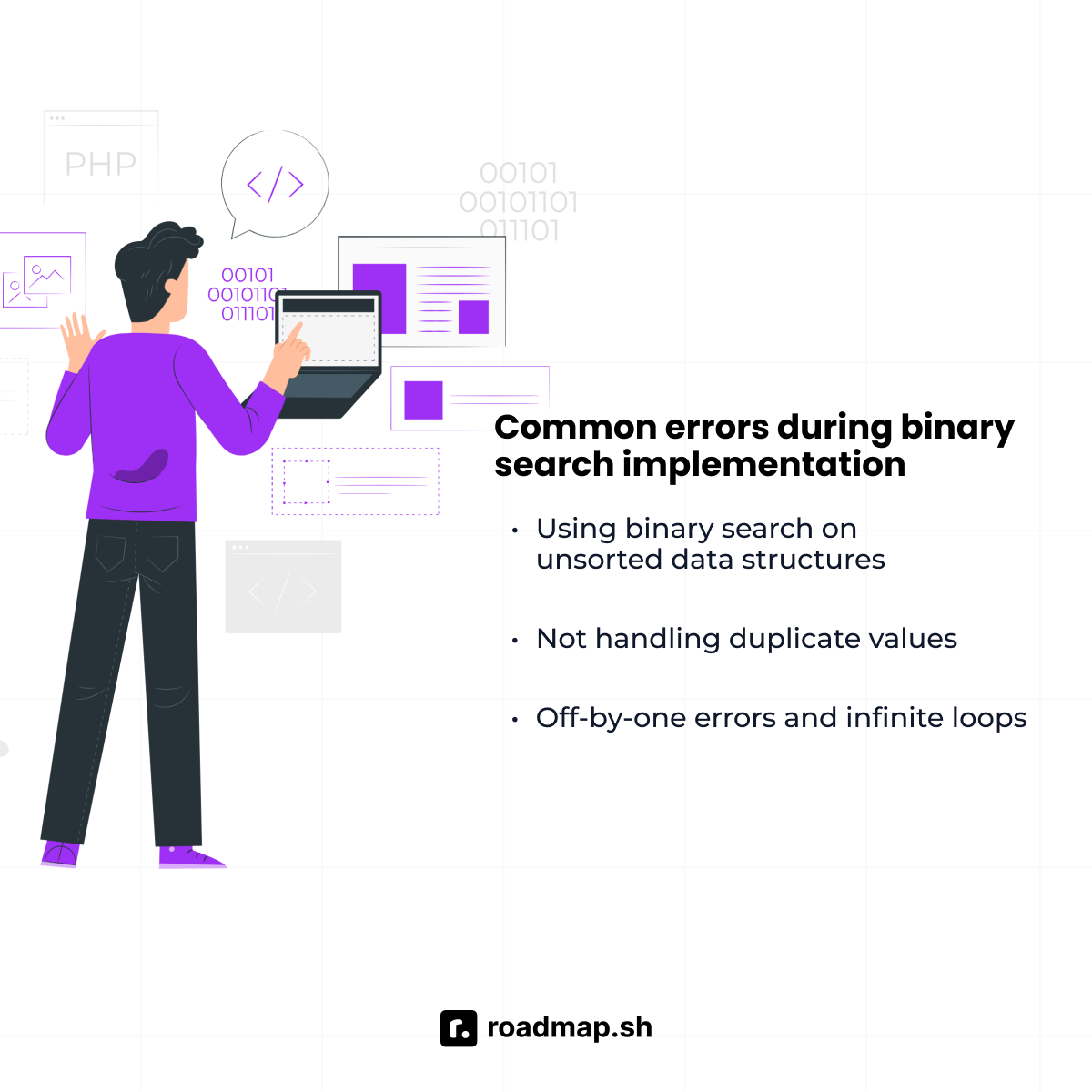
Binary search is efficient, but an incorrect implementation can lead to errors. The following are some common mistakes and best practices.
Using binary search on unsorted data structures
Binary search requires sorted data to work well. If you try to run it on unsorted data, you'll get the wrong answer or miss the values that actually exist in the list. The algorithm compares your target to the middle value first before deciding whether to search the left or right half of your list. If your data is not sorted, that decision becomes incorrect.
Always sort your data before using binary search. If you get data from an external source, do not assume it is already sorted. Sort it first with either sorted(), which makes a new sorted list, or .sort(), which sorts the original list, or check the order yourself. If you search the same data often, sort it once when you load it instead of sorting before every search. Use linear search if sorting takes a long time and you only need to search once or twice.
Not handling duplicate values
A sorted list can have different values, and some values may appear more than once. In this case, a standard binary search stops at the first match it finds, which may not be the first or last occurrence. So, if your search criteria requires finding a specific index, you cannot be sure which occurrence the algorithm will return.
If you need the first occurrence, keep searching the left half even after finding a match. If you need the last occurrence, keep searching the right half. In Python, you can handle these specific search criteria with built-in tools. Use bisect_left() to find the first occurrence and bisect_right() to find the last one.
Off-by-one errors and infinite loops
Incorrect search boundaries may result in skipped elements or infinite loops. The algorithm fails to remove the middle element from the search range, causing repeated checks of the same value. Common mistakes include:
Updating boundaries with mid instead of using mid + 1 or mid - 1
Writing the loop condition with < instead of <=
Forgetting to move the boundaries past the midpoint after each comparison
After each comparison, make the search range smaller by moving the left or right boundary past the midpoint. Since you already checked the middle element, you do not need to include it again. If the middle value is too small, search the right half by setting left = mid + 1. If the middle value is too big, search the left half by setting right = mid - 1.
Wrapping up
Binary search is a powerful and efficient algorithm for finding items in a sorted array or list. It works by halving the search interval at each step, which speeds up the search as the data grows larger. This approach enhances performance in large datasets and optimizes search operations.
Learning binary search is important for Python developers at all levels of experience. It helps you write better algorithms and do well in technical interviews. Learning might seem hard at first, but if you keep practicing, it gets easier. Begin with the basics, and over time, you will learn when to use loops, recursion, or the bisect module.
Ready to put your understanding to the test? Challenge yourself with our interactive quiz on Python binary search. Get quick feedback and personalized explanations for every question to help you remember what you've learned.
