Claude Cowork vs. Code vs. Chat: When to use each
 William Imoh
Anthropic ships three products to work with Claude: Claude Chat, Cowork, and Claude Code. They overlap, but they're not interchangeable.
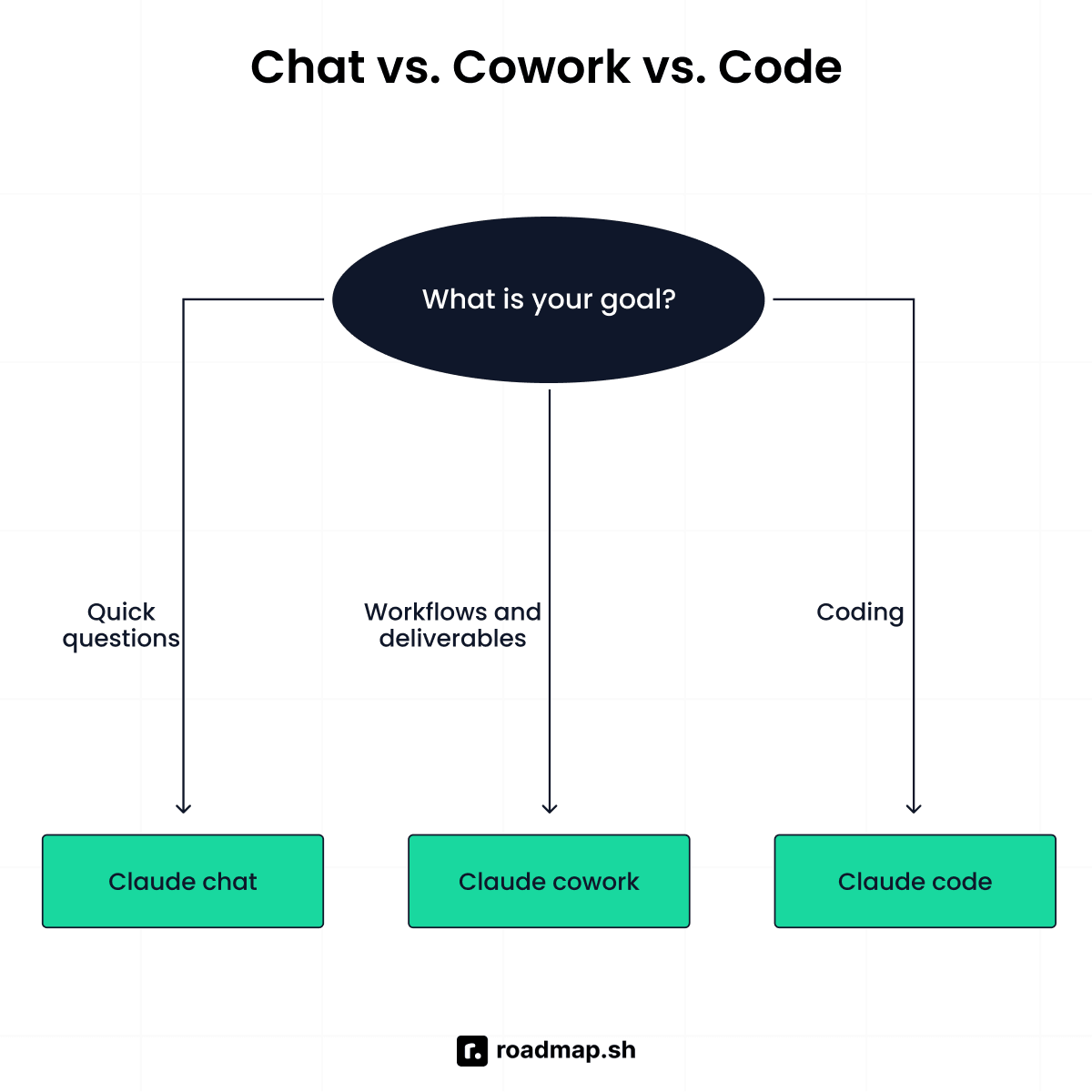
Claude Chat is built for conversation, thinking, and drafting. Cowork handles multi-step knowledge work, documents, research, and file-based tasks, while Claude Code is for developers working with codebases, commands, and software projects. The work is different, and so is the audience each one serves.
Here's who each one fits, what kind of work it's designed to handle, and when to use one over the others.
TL;DR: Claude Chat vs. Cowork vs. Claude Code
Go for Claude Chat if...
You want an answer, a draft, or a plan, and you'll act on it yourself: an email, a summary, a brainstorm, or a decision you're still working through.
You're on a free plan, on mobile, or need zero setup: Chat is available everywhere.
You're still figuring out what you need: Chat is where you clarify the problem before handing it to Cowork or Code.
Go for Claude Cowork if...
The job is real work, not conversation, and you want a finished deliverable: reports, spreadsheets, file organization, or recurring operational tasks.
You don't want a command line: Cowork is built for non-technical knowledge workers.
You need recurring work handled automatically: Cowork can run scheduled tasks and return the results when they're done.
Go for Claude Code if...
The output is software: a feature, a bug fix, a refactor, or a migration.
You're comfortable reviewing Git diffs: Claude Code's power scales with how well you can check its work.
You need it to read across a codebase, run commands, manage Git, or plug into a CI/CD pipeline.
Claude Cowork vs. Claude Code vs. Claude Chat: Comparison table
Claude Chat, Cowork, and Claude Code overlap in places. Here's where they match and where they don't.
Aspects | Claude Chat | Claude Cowork | Claude Code |
|---|---|---|---|
What it is | Thinking | Delegation | Coding |
Input | Questions, prompts, files | Task, files, folders | Codebases |
Output | Answers, draft | Completed work | Code fixes, tests or updated work |
Acts on your files or not | Limited | Yes | Yes |
Who controls each step? | You guide the conversation | You delegate tasks and review the output | You define the task and review the project |
Where it runs | Web, mobile, desktop | Claude desktop app | Terminal, IDE, or web |
Setup required | None | Desktop app | Claude Code setup or authentication |
Coding knowledge | No | No | Yes |
Web search | Yes | Yes | Yes |
Scheduled tasks | No | Yes | Yes |
Best for | Thinking, writing, research, analysis | Multi-step knowledge work | Writing code |
The table above shows where the three line up. It doesn't show which one solves your actual problem. Let's look at each one on its own.
Why choose Claude Chat?
Claude Chat is probably what most people meet first. It has three surfaces: claude.ai on the web, the desktop app, and the mobile app. It's a conversational AI assistant. Give it a question or task, and it responds so you can decide what to do with the result. Chat doesn't run commands or reach into your files. It was built to keep you in the loop at every step.
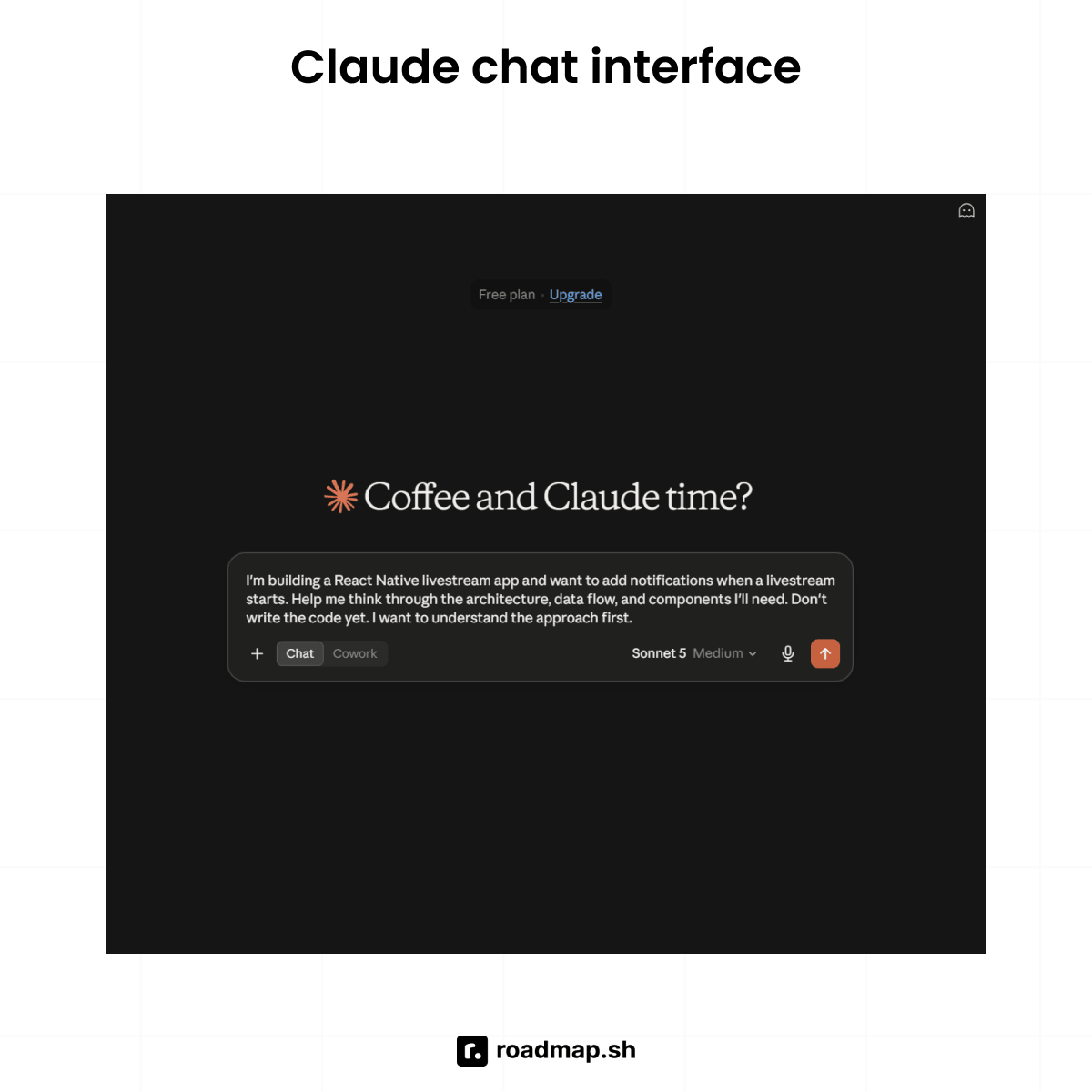
That's what makes it useful when you want to think something through without handing off the work itself. With chat you can ask follow-up questions, change direction, and refine the result, all in the same thread.
Who Claude Chat is for
Anyone who needs thinking support, writing help, analysis, or a fast answer. Chat covers the broadest audience of the three, since it's the one with no setup and no technical requirements.
Professionals who want Claude's input on a decision but want to implement the result themselves.
Anyone on a free plan, on mobile, or who needs zero-setup access to Claude.
What Claude Chat does well
Conversation depth: You can work through a complex topic back and forth, refine the answer, and explore different angles without starting over each time.
Writing and drafting: Chat is good for writing and drafting emails, documents, summaries, analyses, presentations, anything where you own and can edit the result yourself.
Web search: When you need current information, Claude can search the web to research a topic or fact-check an answer.
Upload file: You can upload documents, images, and data files for Claude to look at inside the conversation. That's not the same as folder access; Claude still can't reach into your local filesystem on its own.
Where Claude Chat reaches its limits
Chat can't reach past the chat window: It does not edit your files, run scripts, or operate apps on your machine; it hands you words and you do the rest.
Large-scale file work is impractical: You can upload dozens of documents per session, but it's manual, and you're still working within Claude's context window. Chat can't reach into local folders or process large batches on its own.
No autonomous multi-step execution: Chat waits for you after every response and won't chain a series of actions together on its own, you have to prompt each step. That's what separates it from an agent.
Why choose Claude Cowork?
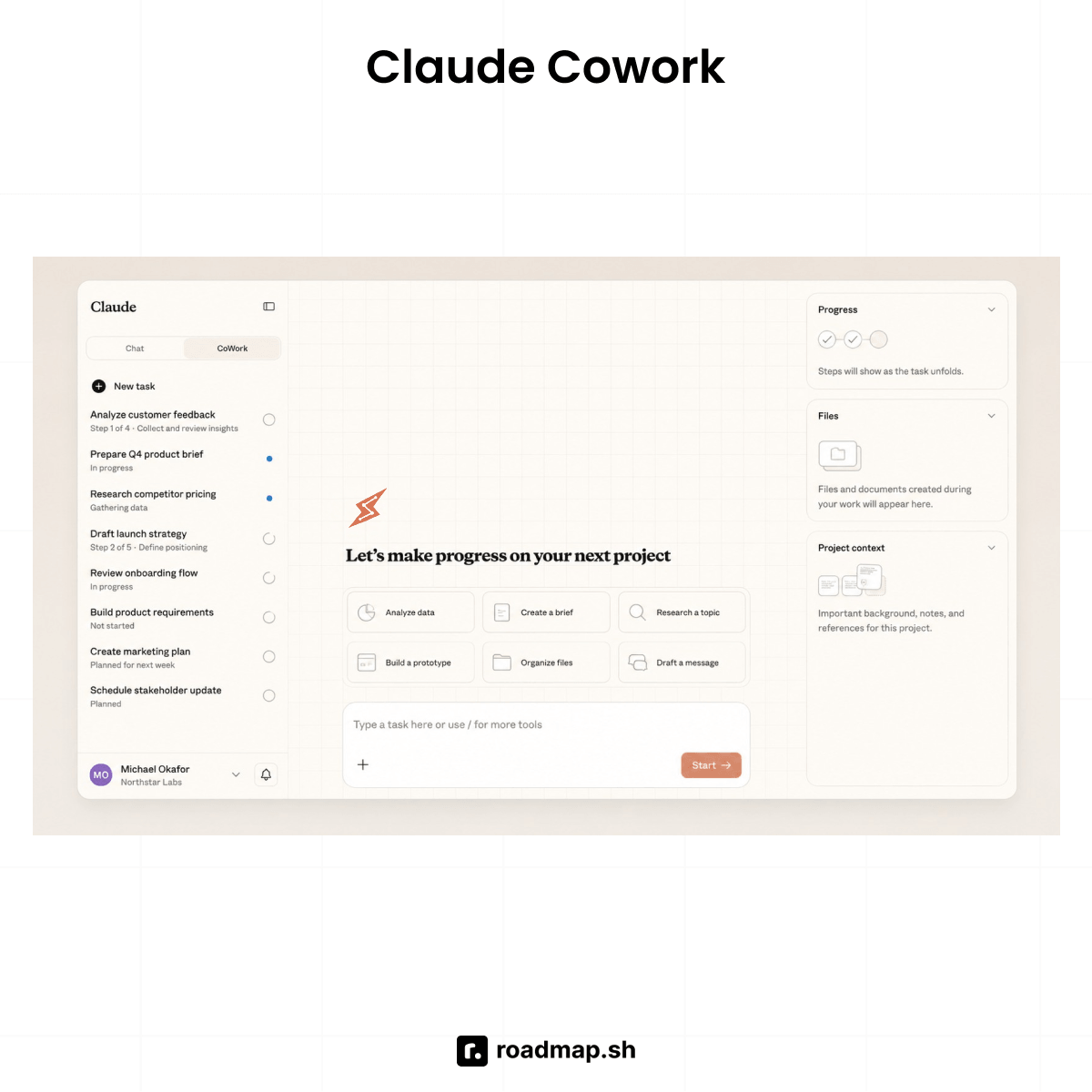
Claude Cowork is an agent that executes multi-step knowledge work on your behalf. Cowork is when you stop asking Claude questions and start giving it a task, the files, and the context it needs to work through it and give you a finished result. It works across web, desktop, and mobile, and reaches your local files through the desktop app when a task needs them.
For example, if you want to turn a folder of documents into a report, you can tell Cowork to analyze the documents and produce the report, instead of doing each step yourself. Anthropic describes this as bringing Claude's agentic capabilities to knowledge work without requiring a terminal.
Who Claude Cowork is for
Knowledge workers who live in documents, spreadsheets, and business apps: researchers, analysts, operations, legal, finance, marketing.
Non-developers who'd rather hand off a task fully than get a set of steps to follow.
Teams running repeatable workflows: weekly reports, research digests, monthly data pulls.
What Claude Cowork does well
Autonomous task completion: You give it a goal, it plans and executes multiple steps, and returns a finished deliverable rather than instructions.
Local file access: Works directly with files in folders you authorize, no manual uploading per session, and handles large batches of documents that would be impractical in Chat.
Scheduled workflows: Assign tasks on a recurring cadence, hourly to weekly, and Claude works while you're away and returns results for review.
Extensible via plugins, connectors, and skills: Integrates with external tools through model context protocol (MCP), connectors reach apps like Google Drive and Slack, and skills encode repeatable task instructions so you can run a complex workflow with a single command.
Dispatch: Message Claude from your phone and it works on your desktop using your local files, connectors, and apps, then delivers the finished result when you're back.
Where Claude Cowork reaches its limits
No developer terminal: Cowork can run code and shell commands in its isolated environment, but it is not a developer terminal for Git, compiling, or hands-on coding. If you need to work directly on software projects, use Claude Code.
Paid plan required: Cowork is available on paid Claude plans. It is not a free tier.
Compliance and audit: That access to documents, connected apps, and the web creates additional security and compliance considerations. Teams handling regulated data should check how it fits their SOC 2 or other compliance requirements.
Local work requires the desktop app: Cloud Cowork sessions can keep running in the background when you close the app, but tasks that need your local files or desktop apps require Claude Desktop to stay open.
Why choose Claude Code?
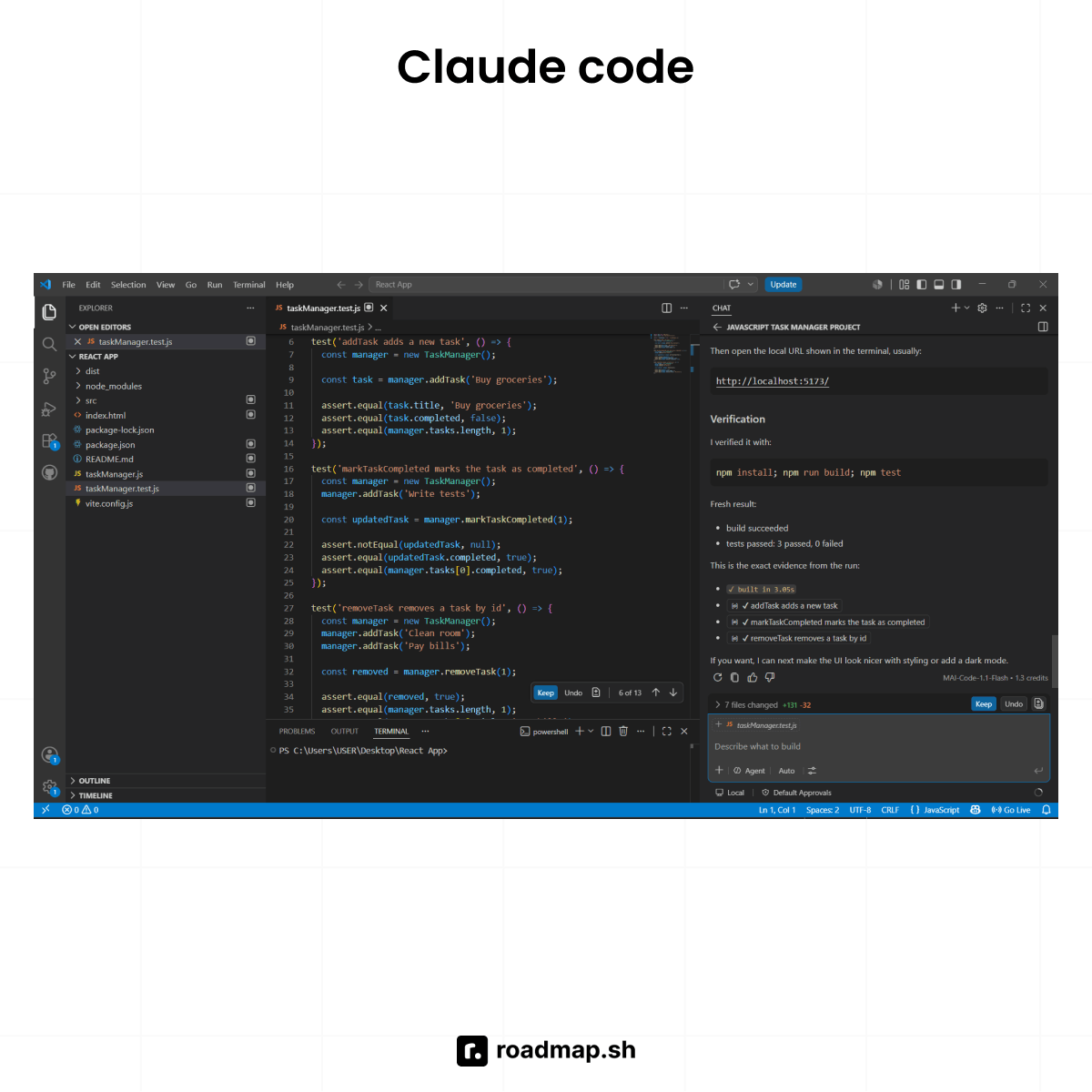
Claude Code is an agentic coding tool built for developers. It's one of the most popular vibe coding tools. It lives in the terminal, with native integrations for VS Code, JetBrains, the Claude desktop app, and GitHub. You describe what you want, and it takes it from there.
Who is Claude Code for
Developers and engineers comfortable in a terminal and reviewing git diffs.
Teams that want Claude built into CI/CD pipelines and automated code workflows.
Engineers working on large codebases where a task touches many files at once.
See the AI Engineer roadmap to learn what it takes to become proficient in AI engineering.
What Claude Code can get done
Works across a codebase: The tool can read and edit multiple parts of a project, understand dependencies, and work with how different files relate to each other.
Runs commands: It can run tests, install packages, work with git, and execute other commands so your code runs cleanly.
CI/CD integration: The same agent runs in environments such as GitHub Actions for automated code review, testing, and other development workflows. For example, you can trigger it on a pull request to review diffs, suggest fixes, or run test suites before merging.
Plan Mode: Lays out a full approach before touching anything, so you can review scope before committing to a big change.
CLAUDE.md: A project-level file that gives Claude standing instructions, conventions, and context it should follow when working on the project.
Sub-agents: Large tasks split across multiple agents working at once, built for jobs too big to coordinate one turn at a time, like a migration across hundreds of files.
MCP connectors: Claude Code can connect to external services such as Jira or Slack to bring additional context into development workflows.
If you're comparing Claude Code to another AI coding assistant, See Claude Code vs. Cursor.
Where Claude Code reaches its limits
Requires developer comfort: Claude Code gives you more autonomy, but you still need to review what it produces. If you cannot read a diff or understand the changes it makes, that autonomy can become a risk.
Token costs accumulate: Large codebases and long agentic sessions can consume tokens quickly. Keep an eye on usage when running large tasks or using sub-agents.
Git discipline matters: Claude Code can make consequential changes quickly. Review the diff before committing, and use plan mode when a change affects a large part of the project.
Wider computer access: Its reach extends beyond a single project directory, which gives it more freedom than Cowork's sandboxed environment. That also means a mistake can affect more than the project you intended to change.
If you're looking to improve your Claude Code skills, use the Claude Code Roadmap to see what to learn next.
Claude Chat vs. Cowork vs. Claude Code: Key Differences
Chatbot vs. agent: The most important distinction
Claude Chat is a chatbot built around conversation. You prompt it, Claude responds, and you remain involved in every step.
Claude Cowork and Claude Code work differently. They are agents. You set a goal, and the agent can plan and execute multiple steps before returning a complete result.
The common mistake is using Cowork or Code like Chat. You type a question when what you actually need is to delegate a task. This shift from conversation to execution is central to how AI agents work.
What each mode can access
Claude Chat works with what you paste or upload manually within its session limit. It does not directly access your local filesystem or system resources.
Claude Cowork can work with local folders you explicitly authorize. It runs code and shell commands inside its own isolated environment, but it isn't a developer terminal for Git workflows, compiling, or hands-on coding.
Claude Code has full access to the codebase, terminal commands, Git, MCP integrations, and CI/CD workflows. Its access can extend beyond the project itself, but also requires more careful review of what it changes. Check our dedicated Vibe coding tutorial to discover what Claude Code can do in practice.
Who each tool is built for
Chat is built for everyone, with no technical knowledge required. It is also available on the free tier.
Cowork is built for non-technical knowledge workers who want to delegate work without touching a command line, the same audience increasingly using AI to handle work they once needed developers for.
Code is built for developers and engineers who are comfortable reviewing code changes, working in a terminal, and maintaining a Git workflow.
Plan and pricing
Chat has a free tier, while Cowork and Claude Code are available on paid plans. Claude Pro costs $20/month and includes access to both Cowork and Claude Code.
Using all three modes
Claude's three modes are complementary, not competing. The pattern that works: Chat to think through a problem and shape the approach, Cowork for operational work, and Code for the software itself. Cowork and Code are both agents, but they handle different kinds of work.
Which should you learn? Decision framework
Chat, Cowork, and Code are three different ways to approach a task. The right choice comes down to one question: What do you want back from this task?
You want... | Use |
|---|---|
An answer, a draft, an analysis, or a plan | Chat |
To search the web as part of the task | Chat, then hand off to Cowork or Code |
A finished document, report, or spreadsheet from your local files | Cowork |
Document or data work without a terminal | Cowork |
Working software: code, a commit, a passing test suite | Code |
A feature built across multiple files with tests | Code |
Automated code tasks in a CI/CD pipeline | Code |
Large-scale codebase migration or refactor | Code |
If you're a developer, use Claude Code for engineering work. The Backend and DevOps roadmaps can help you build the skills around that workflow.
If you're not, Cowork is your starting point. The trick is to be clear about what you want done. Don't say, "Help me with this." Tell it what the finished result should look like: "Turn these 40 PDFs into a structured summary, organize by theme, and save it to my Reports folder."
What to do next?
Claude Chat, Cowork, and Claude Code all run on the same Claude intelligence. But they are designed for different kinds of work. The split shows up fast: stop thinking of these as versions of the same tool, and think of them as three different ways to work. Chat works one exchange at a time, while Cowork and Code use an agentic workflow built to run multiple steps on their own.
If you want to learn Claude's other modes, Cowork or Code, in more depth, the AI Tutor can help.
