Claude Code or Codex? How to Pick the Right AI Agent
 William Imoh
If you want a coding agent that keeps you in a hands-on terminal workflow, Claude Code may be the better fit. But if you want to delegate tasks to cloud environments and run multiple agents in parallel, Codex may suit you better. Each tool can scan a codebase, edit files, run commands, fix errors, and complete multi-step tasks on its own. But even with similar core features, one isn't automatically better than the other. It's about understanding how each AI tool works and choosing the one that fits your needs.
In this guide, I'll cover Claude Code and Codex in full detail, so you can choose the one that fits your work. You'll learn how both tools differ in workflow, models, scale, price, and usage limits.
TL;DR: Claude Code vs Codex
Based on my time using both tools, I looked at what each does best to help you decide which one would work better for you.
Choose Claude Code if...
You want a terminal-first AI agent that brings its polished edit loop to your IDE.
You pay for a Claude Max plan and want coding features without a new subscription.
You prefer Anthropic models like Sonnet 5 and Opus 5.5 for complex multi-file tasks.
You need a large context window: Claude Code has a 1M-token context limit by default (auto-compaction at 200K) for multi-file reasoning.
Choose Codex if...
You already use ChatGPT Plus or Pro and want Codex included in your subscription.
You want to run multiple agents in isolated Git worktrees without mixing their changes.
You prefer to hand off a task, let it run in a cloud sandbox, and come back to review the diff.
You want to switch between OpenAI models based on the task you're working on.
You want an open-source terminal client you can inspect, modify, or audit for your team.
You want a coding client that can connect to model providers such as Amazon Bedrock or Azure.
Choose both if...
You want Claude Code for local work and Codex for background or parallel tasks.
You want to compare both tools on the same coding task before choosing one.
You want access to both Anthropic and OpenAI models for different coding tasks.
Claude Code vs. Codex: Comparison table
Before explaining further, here's a summary of how Claude Code and Codex differ. The Claude Code vs. Codex table below compares model flexibility, pricing, and more.
Criteria | Claude Code | Codex |
|---|---|---|
Developer / Lab | Anthropic | OpenAI |
Default models | Claude Opus 5.5 (Sonnet 5.5 and Fable 5.1 available) | GPT-6 Sol (Luna and models from other providers available) |
Interface & integration | Terminal CLI (Claude Desktop app, web, IDE extensions, and CI/CD available) | Terminal CLI (ChatGPT desktop app, web, IDE extensions, and CI/CD available) |
Model flexibility | Anthropic models: Sonnet, Opus, and Fable | Provider flexible: OpenAI models and models from external providers |
Execution model | Runs on your local machine through your terminal. | Runs locally through the CLI or in isolated cloud environments. |
Context window | 1M-token model limit (auto-compaction at 200K) | 1.05M-token context window (GPT-6 Sol) |
Pricing | Bundled with Pro ($20/mo) and Max ($100–$200/mo); API pay-as-you-go | Bundled with Plus ($20/mo), Pro ($100/mo), and Business; API pay-as-you-go |
Usage limit | 5-hour session and weekly limits (varies by plan) | 5-hour and weekly limits (Pro has no 5-hour limit) |
Open source | No. The Claude Code client is proprietary. | Yes. The CLI client is open source under Apache-2.0. |
Why choose Claude Code?
Anthropic designed Claude Code as a dedicated, terminal-first coding agent. It’s great for developers who already use Claude Code and want to bring it into their coding workflow. You'll have full control over your files in a large codebase, without any cloud queue getting in the way.
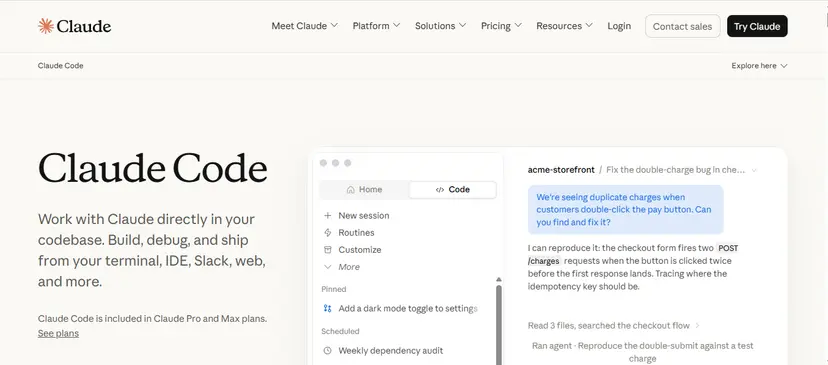
The following are reasons why you should use Claude Code:
Polished agentic editing on Anthropic models
Claude Code runs on Claude Opus 5.5 by default, but you can switch to Sonnet 5.5 or Fable 5.1 if you want a different model. These models excel at complex, multi-step reasoning across a large codebase.
The agent can search across your repository, find the files it needs, and work with them to complete a task. It plans a change before writing any code, edits multiple files in one pass, and fixes errors as they come up. Choose Claude Code if you work in a large codebase and can't afford to lose context mid-task.
Bundled into Claude Pro and Max plans
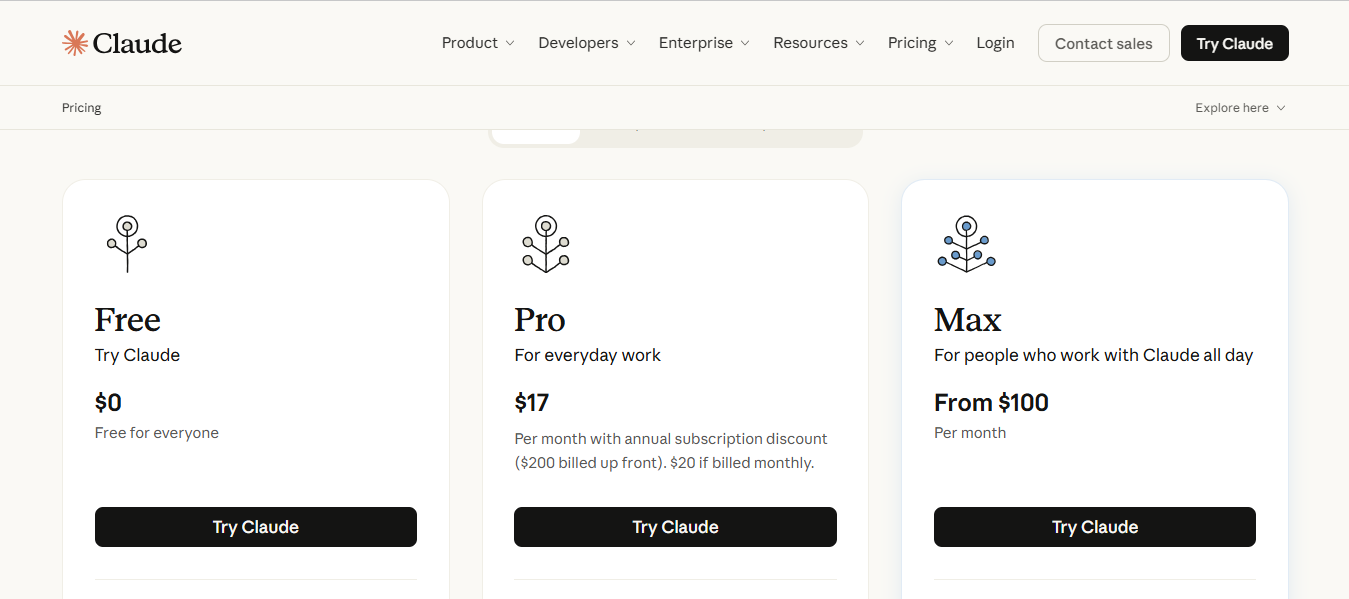
If you already pay for a Claude plan (Pro or Max), Anthropic includes Claude Code in your subscription. All you have to do is sign in with the same Claude account to access Claude Code.
Claude Pro: Costs $17/month on the annual plan, or $20/month billed monthly. It includes Claude Code and more Claude models, with shared usage limits.
Claude Max: Costs $100- $200/month. It gives you 5x or 20x more usage than Pro, along with higher output limits for all tasks.
API Pay-As-You-Go: The API charges based on token usage, with separate rates for input and output. Your pay depends on how much you use, not a flat monthly fee.
Anthropic uses a 5-hour session limit alongside weekly usage limits for Claude Code. The session limit resets after each window, while the weekly limit tracks your total usage across the week. These limits apply to both Claude and Claude Code, and your usage depends on your plan and how often you use the service.
Model routing for cost control
Developers choose Claude Code for manual control over token consumption and response times. You can switch models in the middle of a session with the /model command, and your chat history will still be there. Each tier offers a different balance of accuracy, speed, and cost:
Haiku: fastest and cheapest, for simple tasks
Sonnet: everyday coding at a balanced speed and cost
Opus: deeper reasoning for complex, multi-file tasks
Fable: the hardest, longest-running tasks, selected manually
On certain models, the /effort feature lets you adjust the effort from low to max. Lower levels finish faster and use fewer tokens, while higher levels take their time and explore more possibilities. If you change the effort level mid-task on most models, it'll reset the prompt cache, so set it at the beginning of a task.
For more Claude Code guides, read our Claude Code vs. GitHub Copilot and Vibe Coding Tutorial with Claude Code
Why choose Codex?
Codex is OpenAI’s AI coding agent that helps developers write, edit, test, and review code. In this guide, I'm referring to the modern agent product OpenAI launched in May 2025. It is different from the older 2021 Codex model used for early code-generation APIs.
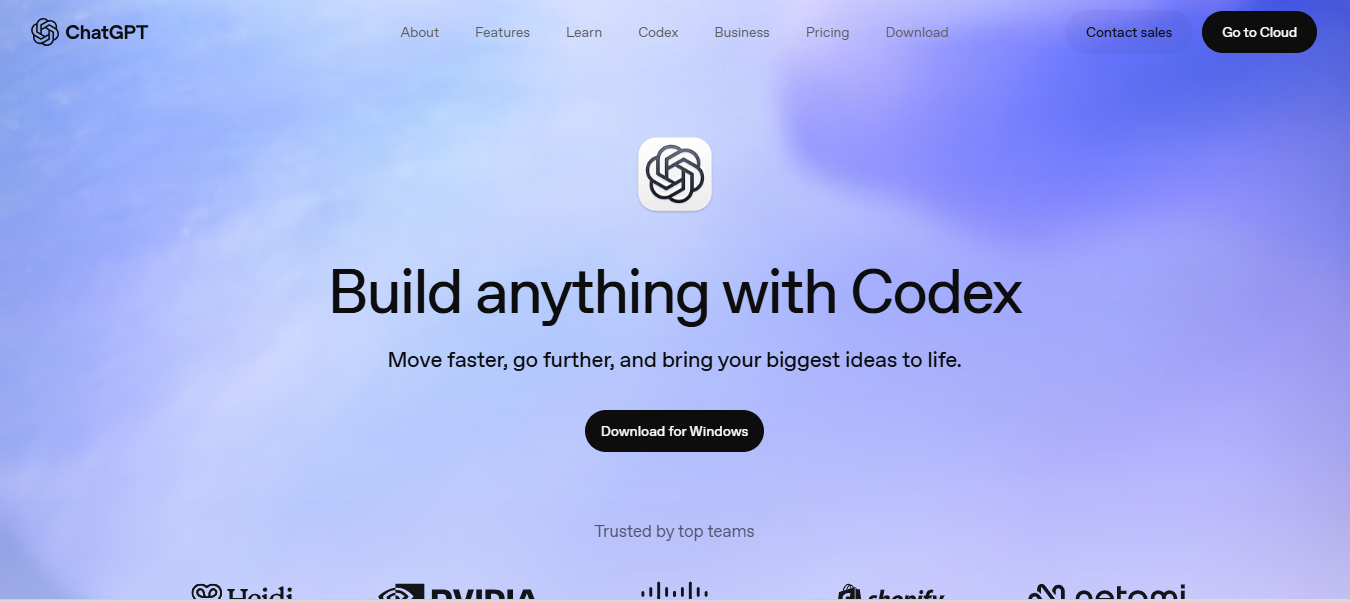
The following are reasons why you should choose Codex:
Model flexibility and an open harness
OpenAI released the Codex CLI as open-source software under the Apache 2.0 license. You can inspect the source code, make changes, and set it up to work with your own model providers and endpoints.
The following are some of the model provider options Codex supports:
Azure: Connects Codex directly to Azure-hosted OpenAI endpoints.
Amazon Bedrock: Routes supported OpenAI models through AWS cloud infrastructure.
Local or custom endpoints: Connects Codex to compatible self-hosted or third-party model endpoints.
Codex also supports remote MCP servers, which you can configure in its config file. These connections let the agent access external tools and data, such as project docs. If you want more control over how your coding assistant works and what models it uses, choose Codex. Its open-source CLI lets you adapt the tool to your needs and use custom providers.
Asynchronous cloud task delegation
Codex lets you move long-running coding tasks from your local terminal to asynchronous cloud execution. It runs each task in its own isolated workspace with your repository and setup. While it works in the background, you can continue working on your local machine. You can run multiple tasks in parallel and return later to review each result:
Summary and diff: Shows the files changed and lets you inspect the suggested changes.
Execution output: Shows command output, build results, and test results.
Parallel tasks: Lets you run multiple tasks at once without them affecting each other's files.
Each task works in its own isolated workspace, so tasks don't interfere with each other. The changes may still cause issues when you combine them, so review the diffs before merging.
Bundled into ChatGPT plans
If you're already using ChatGPT, you can start using Codex with the same subscription. OpenAI includes Codex with their ChatGPT plans, and if you upgrade to a higher-tier plan, you'll get even more usage limits:
Plan | Cost | Features |
|---|---|---|
Free and Go | N/A | Limited trial access to Codex. |
ChatGPT Plus | $20/month | Includes expanded Codex usage. |
ChatGPT Pro | $100/month | Raises your Codex usage limits above Plus. |
ChatGPT Business | Varies | Dedicated workspace with admin controls, SAML SSO, and MFA. |
API Pay-Per-Token | Usage-based | Skip plan limits; no access to cloud-based features. |
Claude Code vs. Codex: Key differences
Choosing between the two tools depends on how you run tasks, manage context, and choose a plan. The following are the main differences between Claude Code and Codex:
Open harness vs. closed integration
Claude Code keeps its coding experience centered on Anthropic's Claude models. It keeps the Claude Code client private, so you can't change the main source code. But you can still customize Claude Code via the settings, plugins, hooks, and other supported extension points.
Codex, in contrast, is open source under the Apache 2.0 license. It lets developers connect the CLI to different model providers and endpoints. This gives you more control over which models you use and how you connect to them.
Interactive editing vs. delegated cloud tasks
Claude Code gives you a hands-on workflow in your terminal or IDE. You can tell the agent what to do, check out what it's done, and give feedback as things progress.
Codex, on the other hand, combines this interactive workflow with cloud task delegation. You can work with the agent directly or delegate tasks to the cloud and review the results later.
Underlying models and how you choose them
Claude Code uses Anthropic's Claude models like Sonnet, Opus, and Haiku. You can choose the model that best fits your coding needs and budget for each task.
On the flip side, Codex supports OpenAI models and other model providers through its open CLI. You can set up the model and provider yourself, so you can choose the model that best fits your coding needs.
Pricing and usage limits
Claude Code offers Anthropic subscriptions: Pro for $20 a month and Max for $100 or $200 a month. Both Pro and Max have a session-based 5-hour usage limit and a weekly limit that applies across all models.
Codex, on the other hand, comes with the $20 ChatGPT Plus plan and the $100 or $200 Pro plans. The $20 plan includes both five-hour and weekly usage limits. Pro plans currently have no five-hour limit for Codex, but they still have a weekly usage limit.
Speed and efficiency
I know you're probably wondering, "Which tool is faster?" as you read this guide, but in my experience with both, there's no clear winner in terms of speed. If you ask five developers, you'll get five different opinions on which one is faster. A tool's speed depends on more than the model's raw response time.
Claude Code is a good fit if you want quick feedback while guiding an agent through a coding task. Its speed depends on the model you choose (such as Claude Sonnet or Fable), reasoning effort, repository size, and the number of tool calls.
In contrast, Codex lets you run multiple agents at the same time in cloud environments. For example, one agent can fix a bug while another writes tests, so you can complete both tasks in parallel.
Which tool should you choose? Decision framework
Choosing between the two tools depends on what you need from a coding agent. The following is how to decide between Claude Code and Codex:
Solo developer or hobbyist on a budget
Start based on the existing plan subscriptions you have for both tools. If you already have a Claude Pro subscription, you'll get Claude Code at no extra cost. Additionally, ChatGPT Plus includes Codex as part of the package.
Weigh the $20 entry level of both tools based on how much coding you often do in a week. If your week consists of small bug fixes, frontend tweaks, and test writing, the $20 plan may be enough. However, if you have a heavy workload, you may need to reassess before upgrading to a higher tier. Choose Claude Pro if you want Claude Code bundled in from the start. But pick Codex Plus if you want the flexibility to use a different or more cost-effective model in the future.
Large-codebase refactors and migrations
Both Claude Code and Codex offer models with enough context for large codebases. The better choice comes down to how you want to handle your work:
Pick Claude Code when you want to handle a complex refactor step by step in one session. Its 1M-token context window gives it room to work with more files and dependencies at once.
Choose Codex when you can split the migration into separate workstreams. Its 1.05M-token context window gives it room to handle large coding tasks with a broad view of the codebase. Codex's multi-agent workflow lets you split a migration into independent tasks.
CI and automation
The choice between Claude Code and Codex comes down to which coding tools you want to use in your workflow. Claude Code works well when your CI workflow needs Anthropic's tools. On the other hand, Codex fits when you want OpenAI's tools and Codex workflows.
When a job runs on a schedule, inside a CI runner, or in a container, it often runs without a developer at the terminal. The job needs a way to authenticate without someone signing in each time. Programmatic authentication lets the job run without an interactive subscription session. Both tools support this type of non-interactive automation, but the exact authentication and billing setup depends on how you deploy each tool.
Deterministic output can also help CI pipelines, since scripts often depend on predictable results. That said, neither tool guarantees the same code or response every time. Both support structured output schemas that specify the expected format and make results easier for scripts to handle. These schemas don’t guarantee the generated code will be correct or that every run will produce identical output.
Teams standardizing on one tool
Teams need to consider more than the monthly fee when choosing between Claude Code and Codex. Consider how your team uses the tool, how you pay for it, and how admins manage access, among other factors.
Claude Code fits teams that want Anthropic's coding tools and a Claude-focused workflow. Team and Enterprise plans include Claude Code, along with team billing and more.
In contrast, Codex fits teams that want OpenAI's coding tools and workspace controls. ChatGPT Business and Enterprise plans include Codex with usage controls, admin features, etc. You can also switch between both tools for different teams if their ways of working or coding requirements differ.
Why not both?
You don't have to pick between Claude Code and Codex as your go-to coding tools. Some developers use one as their go-to for coding and keep the other as a backup for jobs where it may work better.
For example, you could use Claude Code to reorganize a large codebase while you review it. After that, you could switch to Codex to run tests or work on some documentation in the cloud. If one tool gives you trouble or hits its limit, you can easily switch to the other to keep working.
Using both tools depends on your subscription, your preferred model, and the workflow that suits a particular job. But you'll have to pay more, switch between the two, and spend extra time managing both workflows.
The bottom line
Claude Code and Codex are both terminal-first tools for complex coding tasks. The main difference depends on how you like to work. With Claude Code, you get an interactive setup in your terminal or IDE with Anthropic models. But Codex lets you work on your own computer or send tasks to the cloud and run multiple agents in parallel. The better fit depends on lots of factors like your budget, subscription, and usage limits.
Discover the Claude Code, AI Engineer, and AI agents roadmaps on roadmap.sh to learn more about both tools. You can also browse the complete roadmap catalog or ask the AI Tutor questions about each tool.
