How to Debug a Slow API

How to Debug a Slow API

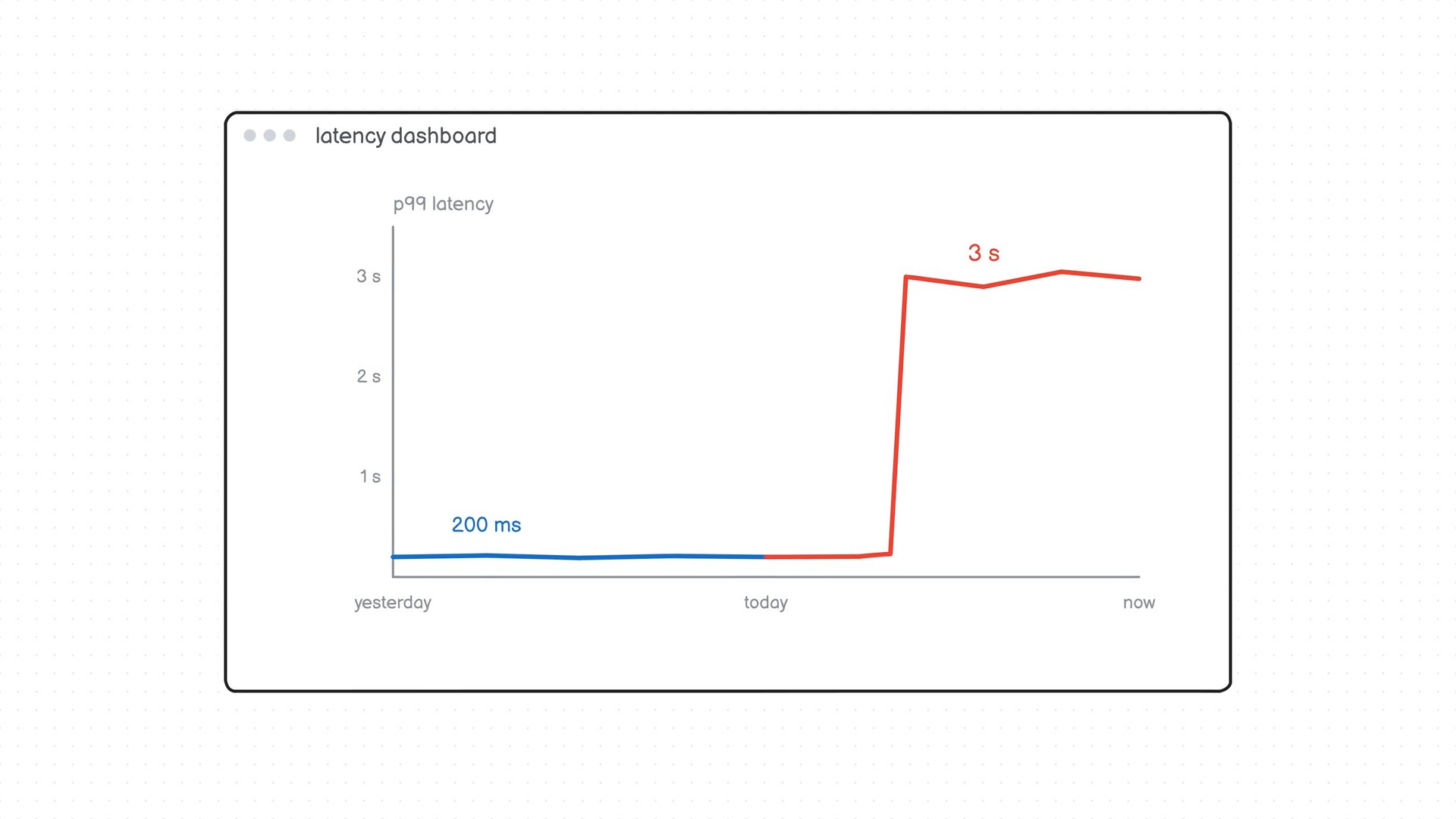
Find out why your API went from 200 ms to 3 seconds, step by step

One of the common interview questions is about debugging slow APIs. For example, you might be given a scenario where your API was working fine yesterday, but today users are complaining that the website is slow. How would you find the root cause? Is it the database, a recent deployment, or something else?

In this video, we'll look at how to debug slow APIs step by step. You'll learn why looking at average response times can be misleading, how to use traces and spans to find bottlenecks, and how to narrow down the actual problem.

By the end, you'll have a checklist you can use the next time you're dealing with a slow API or get asked this question in an interview.


More videos

32 short explainers so far, with more on the way

View all videos

Join the Community

roadmap.sh is among the top 10 most starred projects on GitHub and is visited by hundreds of thousands of developers every month.

Top 10 out of 28M!

371K

GitHub Stars

Star us on GitHub
Help us reach #1

+90kevery month

+3.2M

Registered Users

Register yourself
Commit to your growth

+2kevery month

52K

Discord Members

Join on Discord
Join the community

RoadmapsGuidesFAQsYouTube

roadmap.shby@nilbuild

Community created roadmaps, best practices, projects, articles, resources and journeys to help you choose your path and grow in your career.

© roadmap.sh·Terms·Privacy·

ThewNewStack

The top DevOps resource for Kubernetes, cloud-native computing, and large-scale development and deployment.