Pricing Comparison Table
Build a single-page pricing comparison using a real, accessible HTML table.
5 upvotes
10 upvotes
The goal of this project is to teach you how to display structured data in HTML using a real, accessible table. You will build a small pricing comparison page with proper headers, a caption, and row scopes. Do not style the page; styling will be addressed in a later project. Focus here on the table structure and the surrounding semantic markup.
In this project, you are required to build a single HTML page that compares three subscription plans side by side using an HTML table.
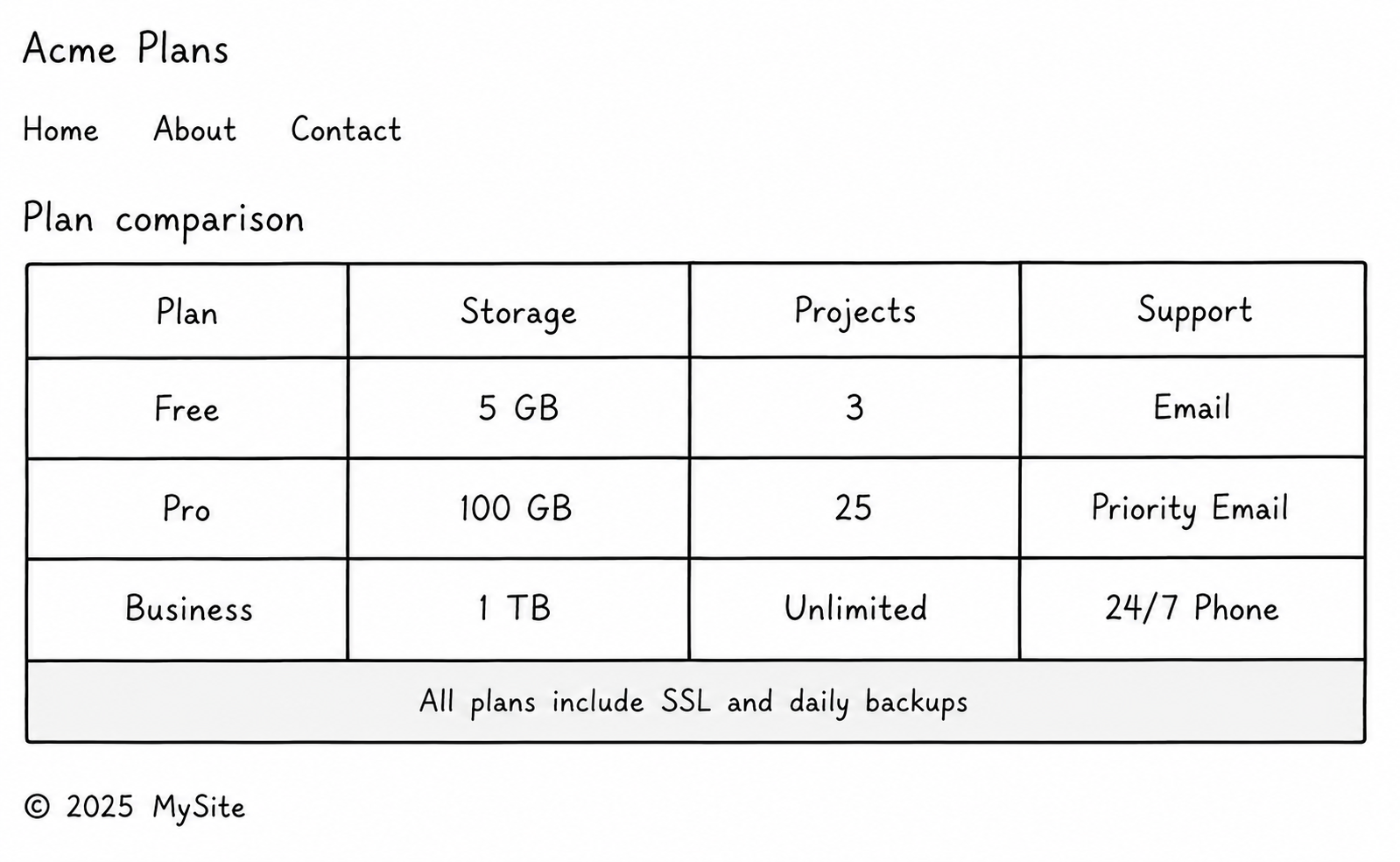
Key requirements:
A semantic page: Use
<header>,<main>, and<footer>to structure the page itself.A real
<table>with<thead>and<tbody>separating header rows from data rows.A
<caption>as the first child of the table that names what is being compared.Header scopes: Use
scope="col"on column headers, andscope="row"on the plan-name cells so screen readers can announce data in context.At least one merged cell: Add
colspanorrowspansomewhere meaningful — a section heading above several columns, or a highlight row that spans the table.Head metadata: Set
<title>,<meta charset>, and<meta viewport>.
Submission Checklist:
A single HTML file with a semantic page structure (header, main, footer).
A
<table>with a<caption>,<thead>, and<tbody>.scope="col"on column headers andscope="row"on row headers.At least one cell using
colspanorrowspanfor a real reason.Page metadata set correctly in the head.
By completing this project, you will have a working mental model of when to reach for a table and when not to, and how to mark up a table that is accessible from the moment it ships. You can return to it later to add styles or sticky headers with CSS without changing the structure.
