Pricing Cards
Create a row of three pricing cards using HTML and CSS.
5 upvotes
10 upvotes
In this project, you are required to create a row of pricing cards using only HTML and CSS. Pricing cards are a common UI pattern used on marketing and SaaS websites to compare plans side by side and guide users to the right tier.
The goal of this project is to teach you how to combine the box model, Flexbox, and interaction states to build a reusable component. Below is a rough mockup of the component you need to build.
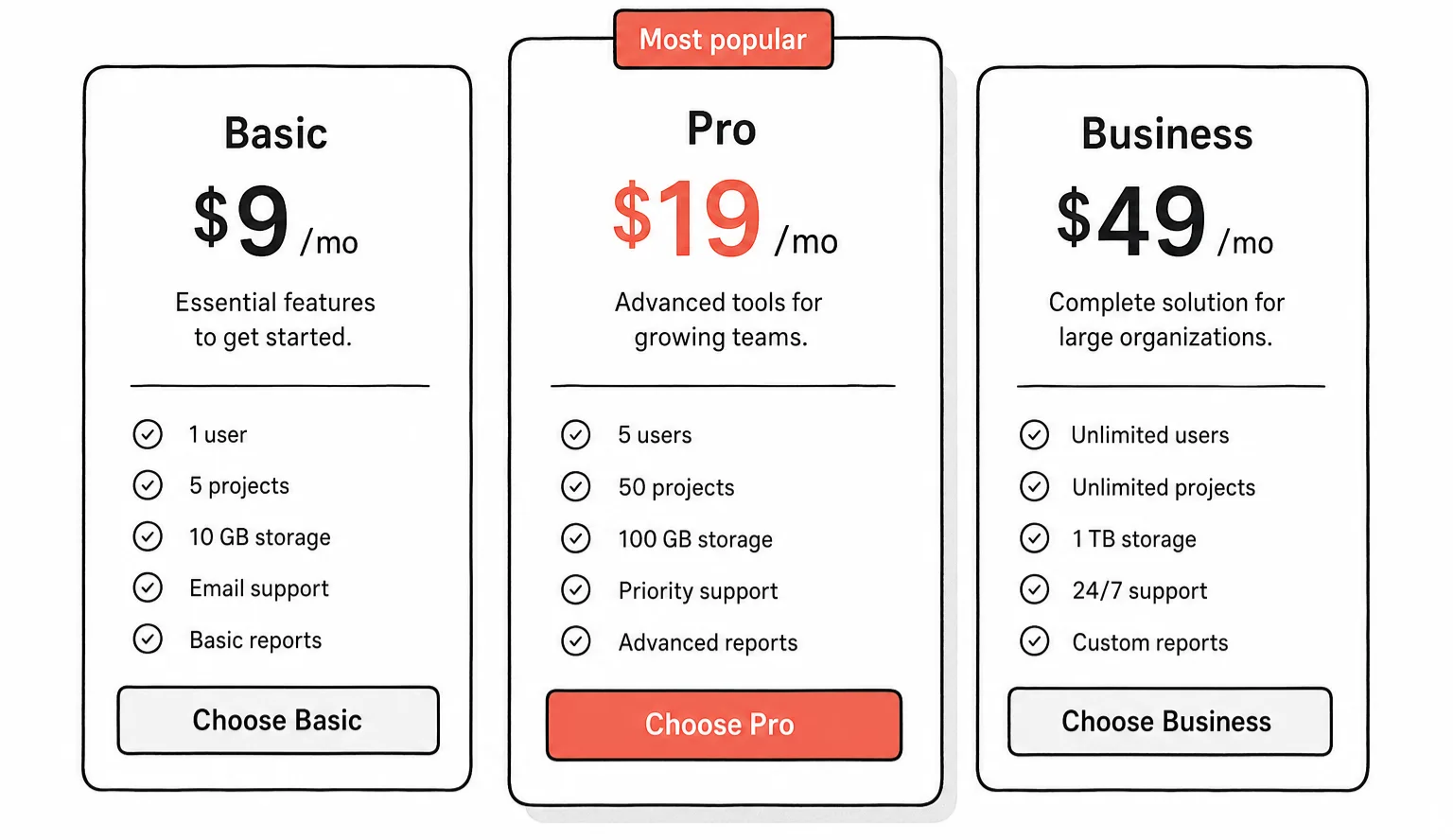
The three cards should share a base style and the middle one should stand out as the recommended plan, slightly larger and visually emphasized. Each card has a plan name, a price, a short tagline, a list of included features, and a button.
Things to keep in mind
Equal heights: All three cards should be the same height even when their feature lists are different lengths, so the buttons line up at the bottom.
Hover state: The button should have a clear hover and focus state. Do not rely on color alone - change the background or add a subtle shadow.
Box model: Use padding for inner spacing and gap on the row for spacing between cards. Avoid mixing margin and gap to space siblings.
Typography hierarchy: The price should be the most prominent element on the card; the plan name and feature list should sit clearly below it.
After completing this project, you will have a solid grasp of how Flexbox, the box model, and link states come together to build a polished, reusable component. You can later extend this with a monthly/yearly toggle once you learn JavaScript.
