Blog Post Page
Build a single semantic HTML blog post with proper text elements, links, and a figure.
5 upvotes
10 upvotes
The goal of this project is to teach you how to mark up long-form content in HTML. You will build a single blog post page that uses semantic regions, the right text elements for each kind of content, and real links. Do not style the page; styling will be addressed in a later project. Focus here on the structure that a reader, a screen reader, and a search engine will all see.
In this project, you are required to build a single HTML page that represents one blog post. Here is the sample blog post image:
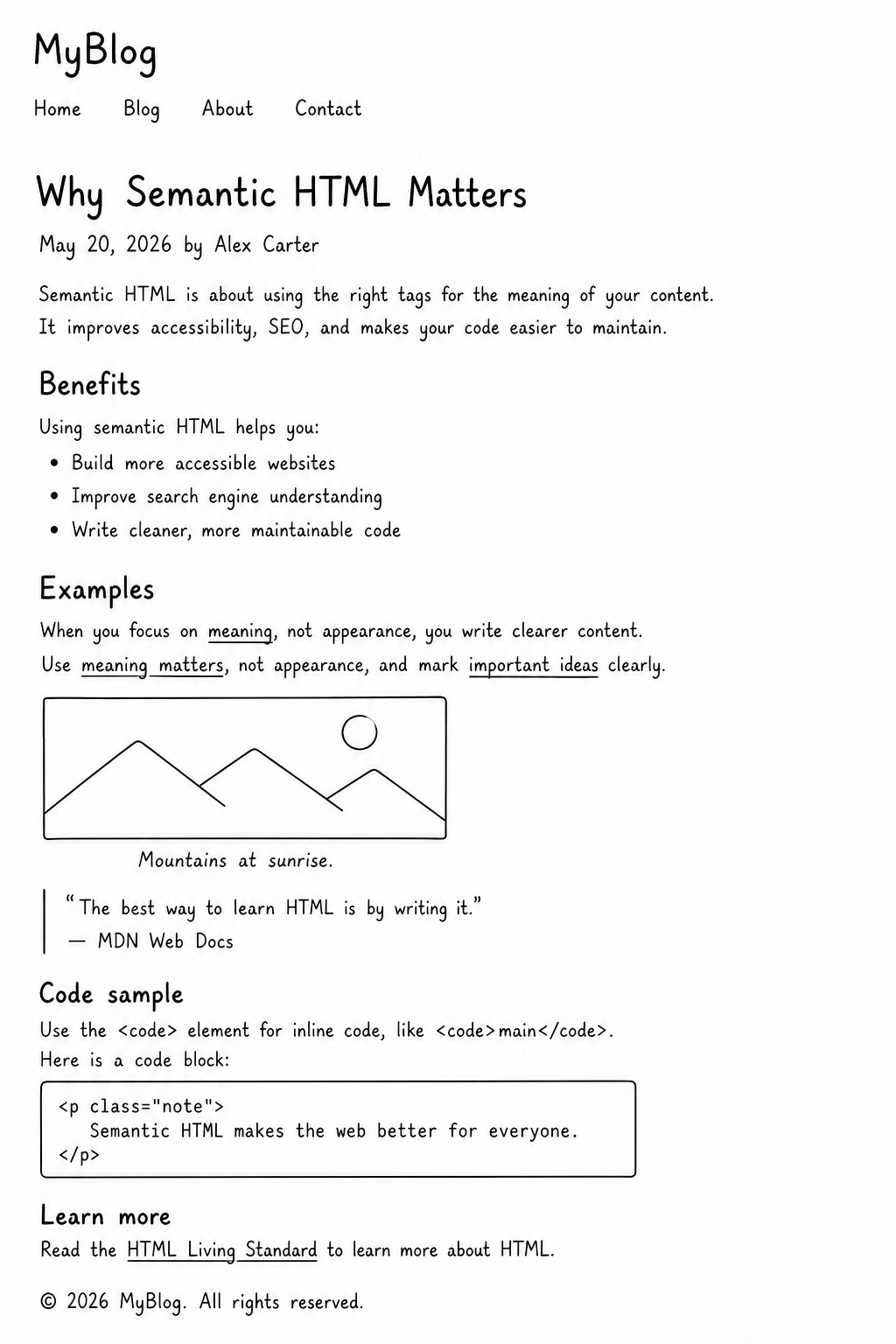
Key requirements:
Page regions: Use
<header>for the site name and primary navigation,<main>containing a single<article>for the post itself, and<footer>for closing content like copyright.One
<h1>for the post title. Use<h2>and<h3>for sub-sections inside the article — do not skip levels.Real text elements: Use
<p>for paragraphs,<ul>or<ol>for lists,<blockquote>(with<cite>for the source) for quoted text, and<code>or<pre>for any inline code or code blocks.Emphasis with meaning: Use
<em>for stress and<strong>for importance. Avoid using them just to make text italic or bold.Descriptive link text on every link. No "click here" or "read more" — the link should describe where it goes.
One image inside the article wrapped in
<figure>with a<figcaption>. Set a usefulalton the<img>and remember the caption is not a replacement for the alt text.Head metadata: Set
<title>,<meta charset>,<meta viewport>, and a meta description summarising the post.
Submission Checklist:
A single HTML page with header, main, article, and footer regions.
One
<h1>for the post title, with<h2>and<h3>used for real subsections.Lists, quotes, and code elements used semantically.
Descriptive link text on every link.
A
<figure>with<img alt>and<figcaption>.Head metadata set, including a meta description.
By completing this project, you will get comfortable picking semantic tags for the kinds of text you will write in most real apps e.g. blog posts, documentation, release notes, product descriptions. The structure also makes a clean foundation for adding CSS later without rewriting the HTML.
